USB WiFi Adapter for Thick Brick Walls UK: What a High-Gain Dongle Can and Can't Do
The router is downstairs, your PC is two brick walls away, and the signal barely arrives. A high-gain USB dongle fixes one end of that problem and leaves the other alone. Here is where the TP-Link Archer TX20UH helps, and where you actually want a mesh instead.
Older UK houses were built long before anyone cared where a router would sit. Solid brick, sometimes double-skinned, the odd chimney breast in the wrong place, and a broadband socket bolted to the wall in the hallway. Your desktop or work laptop ends up two rooms and a couple of walls away from the signal, and the little WiFi card inside it gives up.
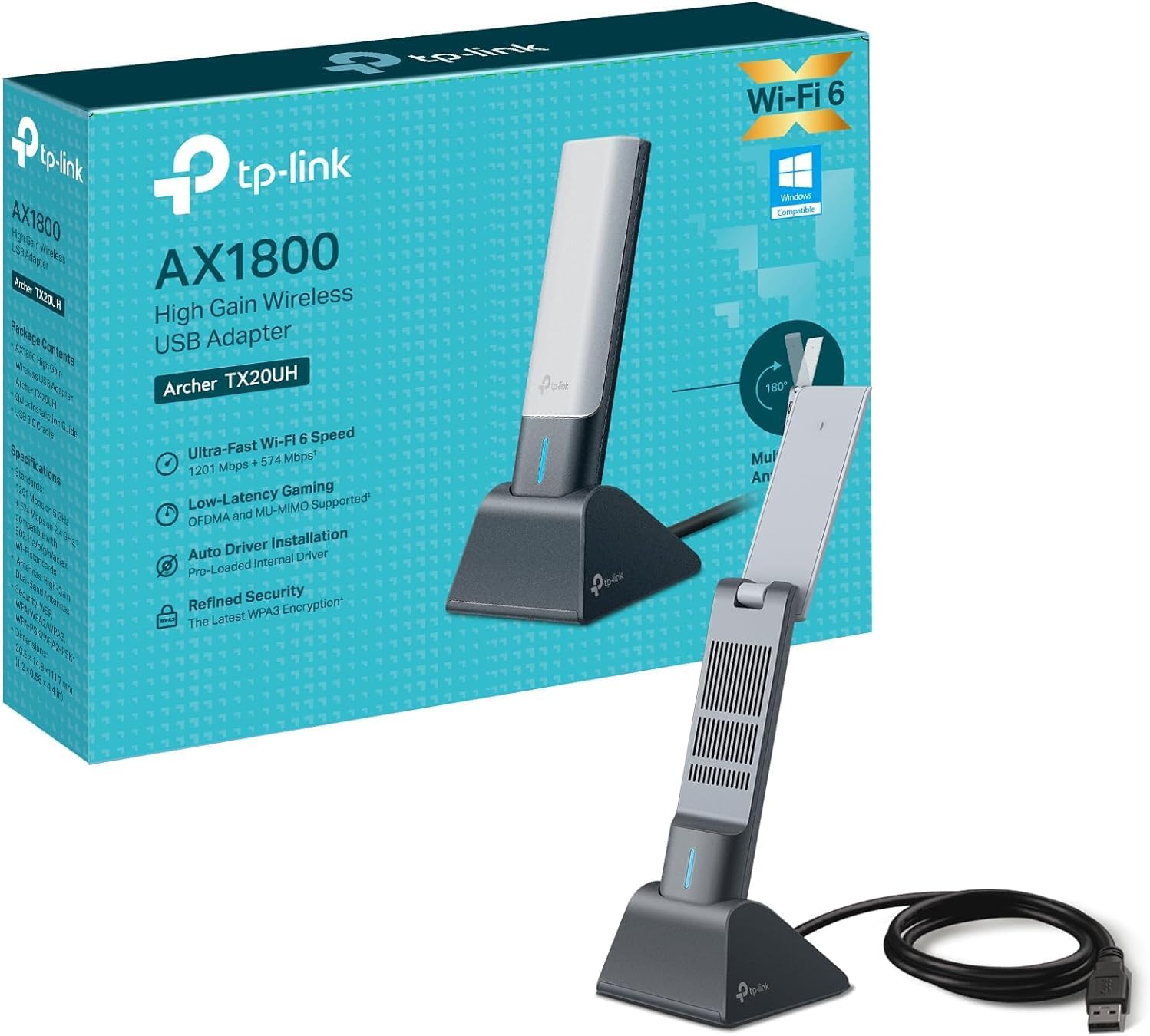
That is the exact spot the TP-Link Archer TX20UH is sold into. It is a WiFi 6 USB adapter with fold-up high-gain antennas and a 1.2 metre cable, and it is one of the cheapest things you can try before spending real money on a mesh system. It carries a 4.3-star lifetime rating, though that number is doing more work than TP-Link would like. The real question is not whether it is a decent dongle. It is whether a dongle is the right tool for a brick-wall problem at all.
Is a USB WiFi Adapter for Thick Brick Walls UK the Right Fix?
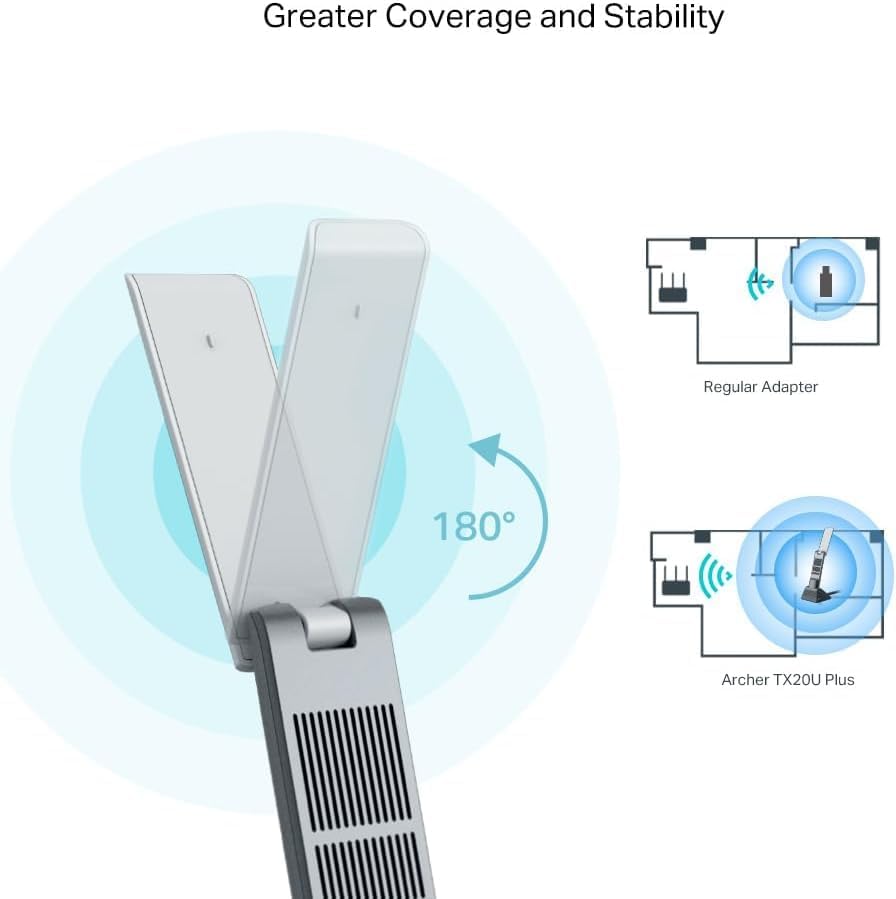
This is the part most product pages skate over. A USB WiFi adapter only changes one end of the link: the receiver inside your PC. It swaps your laptop's tired internal card, or a desktop's cheap add-in card, for a newer radio with bigger antennas that sit out in the open instead of buried in a metal chassis. When the weak link is that internal card, the upgrade is real and immediate.
What it cannot do is add signal that is not there. It does not repeat or rebroadcast your WiFi, and it does not move your router. If the signal has already been chewed up by two or three solid brick walls before it reaches the room, a better antenna has very little left to grab. TP-Link's own coverage diagram makes the point without meaning to: the adapter still sits in the far room pulling at whatever reaches it, it just pulls better than a basic dongle would.
So the deciding question is what your actual bottleneck is. If there is a usable signal in the room and your PC simply is not making the most of it, a high-gain adapter is the cheap fix. If the room is a true dead zone where your phone also crawls, no dongle rescues that, and you should skip straight to the mesh and powerline section below.
The 1.2m Cable and Cradle Do More Than the Antennas
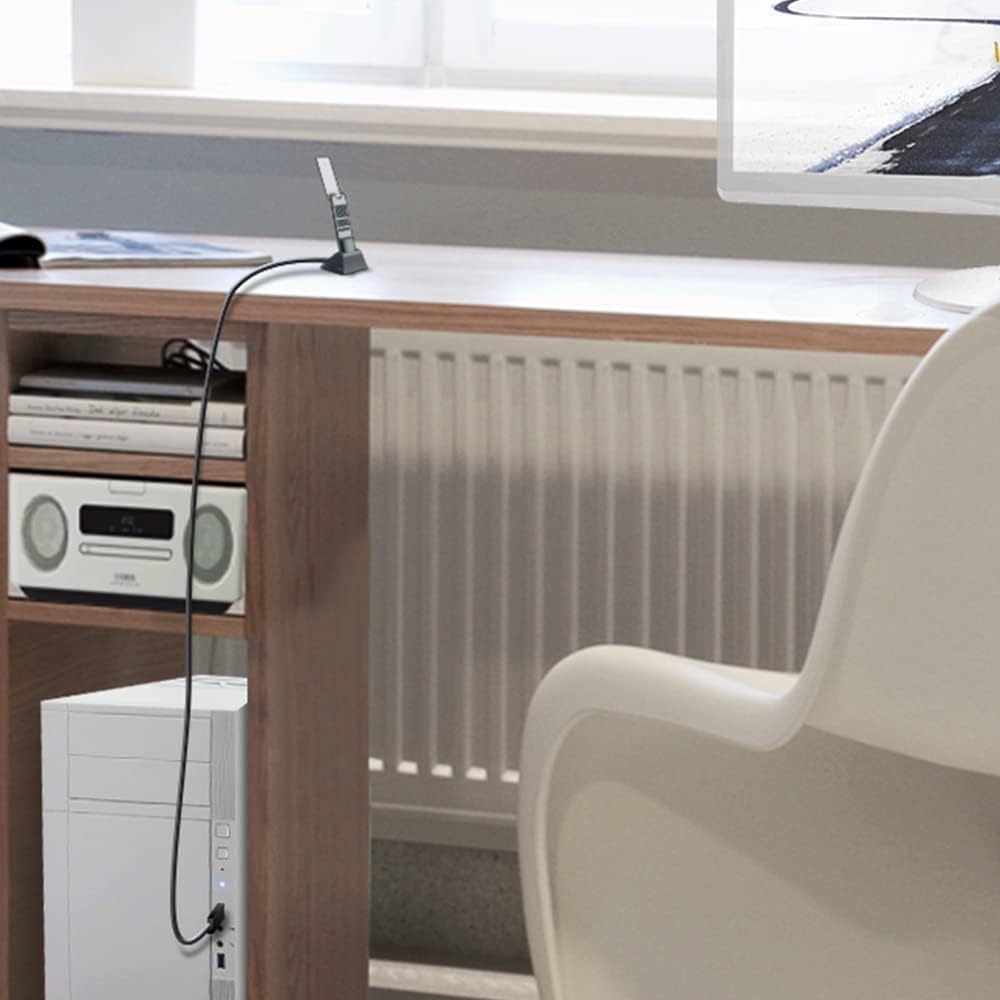
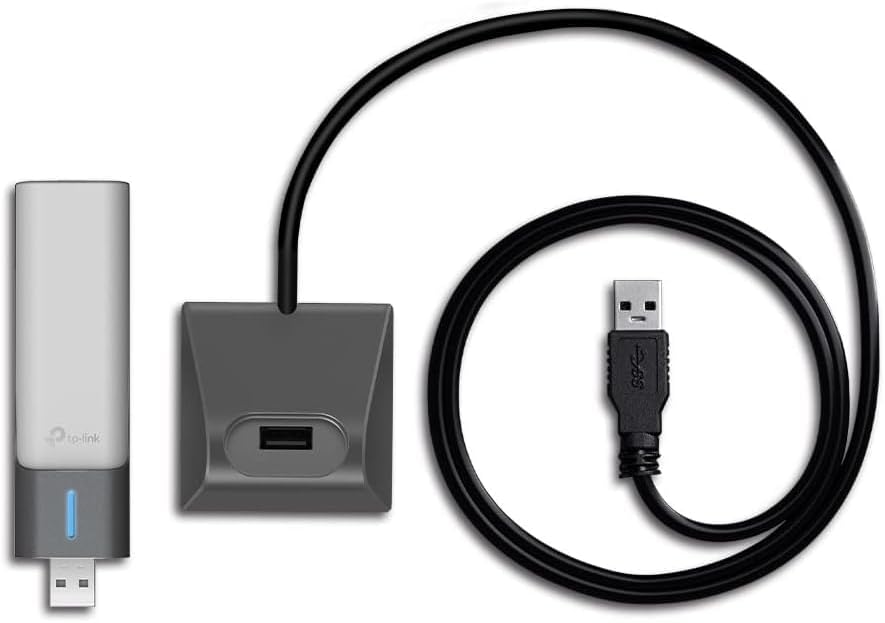
The spec everyone fixates on is the high-gain antenna. The part that quietly matters more for a brick-wall home is in the box next to it: a desktop cradle and a 1.2 metre USB 3.0 cable. Plug a normal dongle straight into the back of a desktop tower and you have parked your antenna on the floor, behind a metal case, under a desk, in the worst possible spot for radio. The cable lets you lift the adapter out of there.
You can stand the cradle on the desk, on a shelf, or on a windowsill facing the room the router is in, and angle the fold-up antenna toward it. TP-Link's own lifestyle shot shows exactly this: the dongle sitting up on the desk in its cradle with the cable trailing down to a tower on the floor. Moving the receiver half a metre into clear air often does more than any antenna rating on the box, and it is the most useful thing this kit gives a solid-wall house.
Richard, one of the UK reviewers, ended up feeling the wireless link was just as good as the ethernet cable they unplugged, with no buffering on video. That is a best case, not a promise, but it shows what good placement plus a decent radio can reach.
Dongle, Mesh, Powerline or a Long Ethernet Run?
gadgetshowdown is a comparison site, so this is where the TX20UH sits against the other things a brick-wall sufferer looks at.
Versus the cheap nano dongle or your built-in card: this is the fight the TX20UH wins most clearly. The tiny thumbnail adapters and aging laptop cards have small, low-gain antennas and often older WiFi. Rik put it plainly after years of buying cheap sticks: I keep buying cheap USB wifi dongles, and am mostly disappointed. Their old card managed 80 to 100Mbps on a 300Mbps line; the TX20UH took them to 280 to 290. If your current adapter is a nano or a five-year-old internal card, this is a straight upgrade.
Versus a mesh system: a mesh, such as TP-Link's own Deco, puts a second unit in the far room with its own radio, so it fixes the signal for every device in that room, phones and tablets included. It is the right answer for a genuine dead zone, but it costs several times as much and is overkill if only one desktop is struggling. The dongle helps one machine; a mesh helps the whole room.
Versus powerline adapters: powerline sends your connection through the mains wiring to a plug socket in the far room, stepping around the brick entirely. For a room the WiFi cannot reach at all, powerline often beats any receiver upgrade, though it depends on the state of your house wiring and adds another box at each end.
Versus running ethernet: a cable is still the gold standard, but through solid brick that means drilling, trunking or a lead trailing under doors. If you can live without that job, a well-placed adapter gets close enough for most people, as Richard found.
The pattern is simple. The TX20UH is the right first move when the weak end is the PC. Once the room itself is the problem, mesh or powerline is worth the extra spend.
What UK Buyers Saw on the Speed Test

This is a small sample, thirteen reviews rather than the usual hundreds, and the speed jumps in it are real but they scatter. Among the UK buyers: Kevin measured 280Mbps and, more usefully, went from several WiFi drop-outs a day on an aging HP laptop to a full day with no WiFi drop out. Another UK buyer on BT fibre said calls that kept dropping went quiet and clear after the dongle took their laptop from about 26 to nearly 200Mbps. One reviewer reported jumping from 35 to over 800Mbps on an older ASUS machine, which is the outlier at the top end.
Those numbers depend far more on your router, your line and where you place the adapter than on the dongle alone, so treat them as what is possible, not what you will get. Rik's case is the realistic middle: a solid jump, and good enough to run a Meta Quest 3s wirelessly, though in their words It isn't as good as wired, but never expected it to be.
Now the caveat the star rating hides. That 4.3 average sits on a rating count in the hundreds of thousands, which is far too many for one niche dongle. Amazon is pooling ratings across TP-Link's wider Archer USB-adapter family, and it shows inside this very sample: one one-star review is explicitly about a different TP-Link model, the TL-WN725N(EU), and a separate card describes a USB 2.0 adapter when the TX20UH is USB 3.0. Neither is really a review of this dongle. When you read that big rating, mentally discount the reviews describing gear that is not this.
Where It Trips Up: Drivers and the Odd Reboot
Two things come up often enough to plan for. The first is drivers. The box promises auto driver installation from a pre-loaded internal driver, and for some people that is exactly how it goes. Kevin had Windows detect and install it in a couple of minutes. For others it is fiddlier. Georgios, rating it four stars, found Sometimes it disconnects and that can be fixed with downloading the drivers from the TP LINK Official site. Rik also had to go and fetch the driver themselves before it settled. If it will not behave on first plug-in, updating the driver from TP-Link's site is the first thing to try, and one buyer who could not get the adapter recognised at all was talked through it by TP-Link's live chat, which the listing flags as 24-hour support.
The second is rarer but worth knowing. Shaw Williams, in the sample's one three-star review, describes the adapter dropping out during long sessions: it decides to reboot itself out of nowhere, and no amount of driver updating or power-setting changes stopped it. Their advice was blunt: Don't use if you have a need of long online sessions. It reads like a power-management or driver quirk on certain setups rather than a universal fault, since it shows up in one review out of the thirteen here rather than across the board, but if you keep marathon calls or gaming sessions running, it is the risk to watch.
A quick setup tip that turns up in one of the good reviews: once the dongle is working, open Device Manager and disable your PC's old built-in WiFi adapter, so Windows always reaches for the new one rather than flipping back to the weaker card.
So Who Should Actually Buy It?
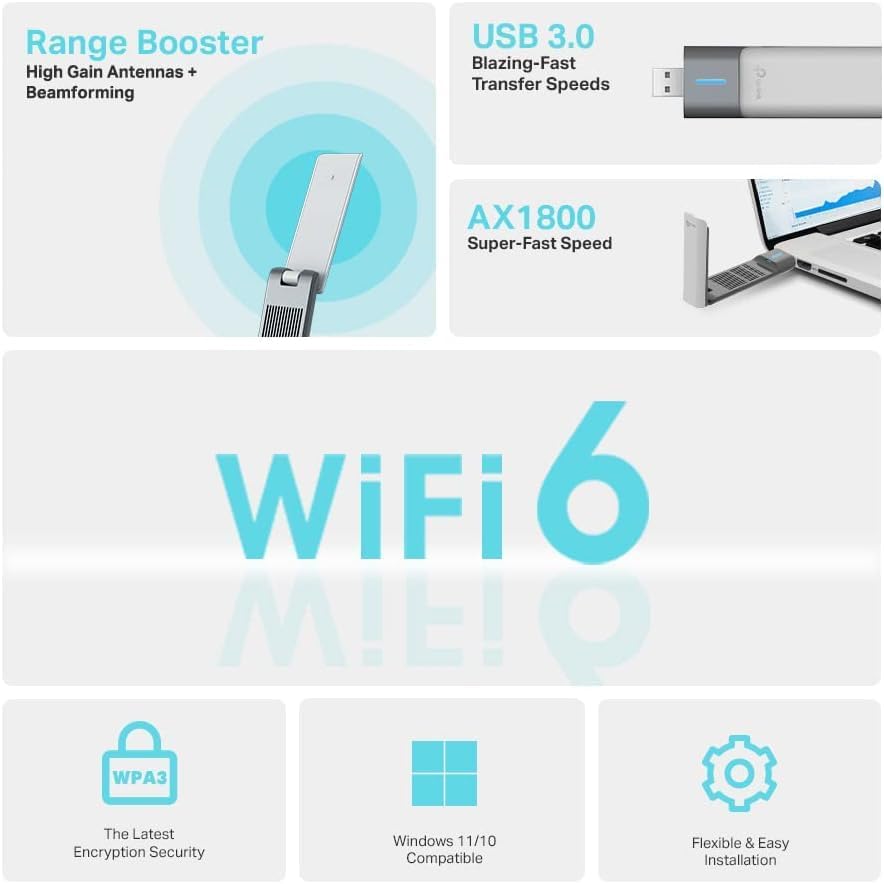
Set your expectations by the problem, not the star rating. The TP-Link Archer TX20UH is a smart, low-cost fix if your bottleneck is the PC: an old laptop card, a nano dongle, or a desktop stuck with whatever WiFi came on the motherboard. The WiFi 6 radio, the fold-up high-gain antennas and, above all, the cradle and cable that let you place it well add up to a real improvement for one machine, and the reviews from UK buyers back that up more often than not.
It is the wrong buy if the room is a true dead zone where your phone struggles too. No receiver upgrade invents signal that solid brick has already killed, and that is a job for a mesh node or a powerline kit. Be ready to update the driver from TP-Link's site if it sulks on first plug-in, and if you run very long unbroken sessions, keep that three-star reboot report in mind.
For most people fighting a weak PC connection in an older UK house, it is the sensible first thing to try before spending four or five times as much on mesh. Just buy it understanding what it is: a much better aerial for your computer, not a new router.
TP-Link Archer TX20UH AX1800 WiFi 6 USB Adapter
A high-gain WiFi 6 USB adapter with a 1.2m cable and desktop cradle, the cheap first fix for a PC with weak WiFi through brick walls.