The Thermal Label Printer for Vinted Parcel Labels UK Sellers Buy to Skip the Post Office Queue
Every Vinted sale ends with a label to print, and most sellers still queue at a counter or tape an A4 printout to the bag. The JADENS 4x6 ends both habits in about a second a label. One catch: order the wrong label roll and it will not fit inside the printer.
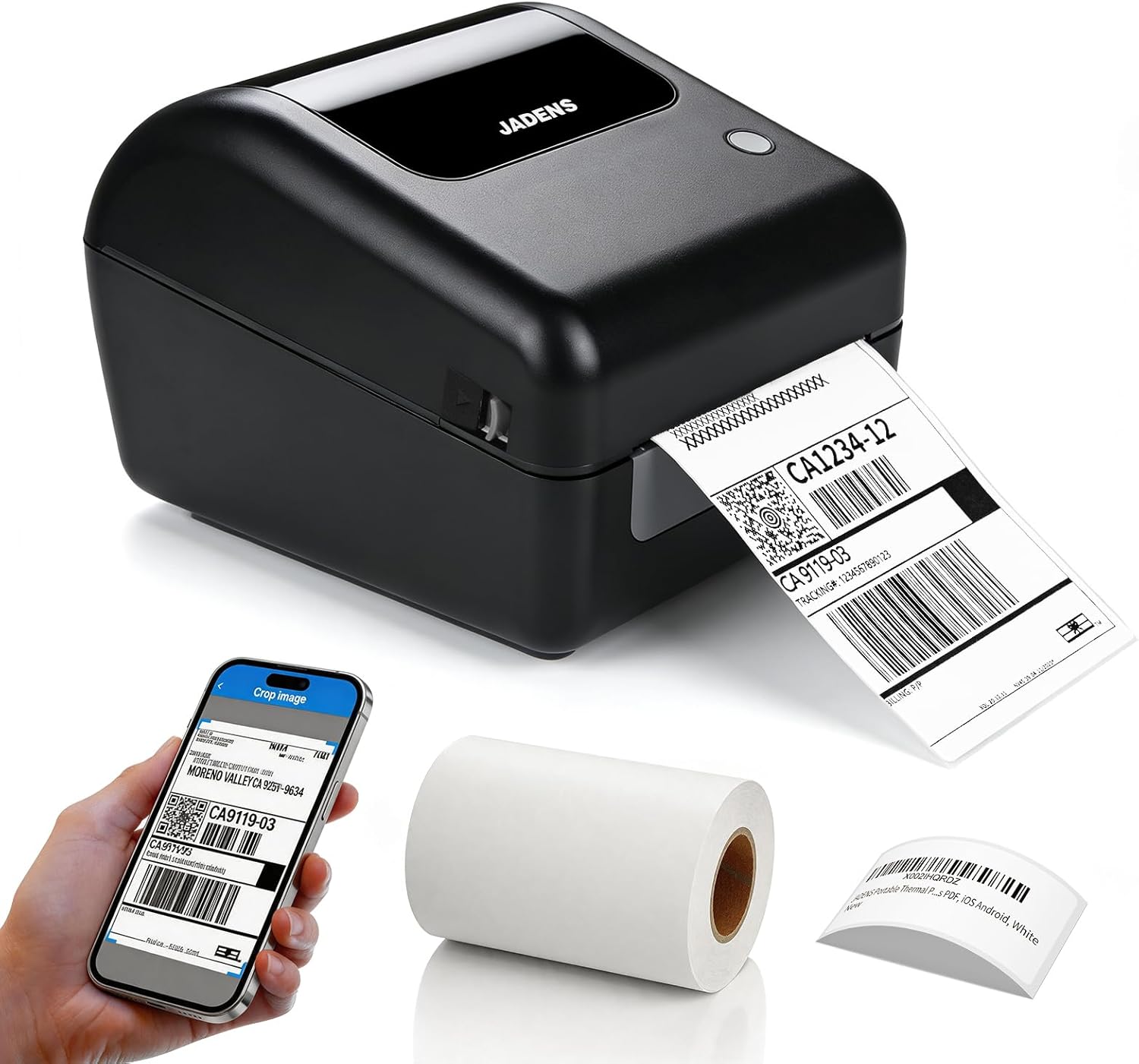
- Is This the Thermal Label Printer for Vinted Parcel Labels UK Sellers Should Start With?
- Against a Zebra, the Gap Is Smaller Than the Price Gap
- The Cheaper Printers Make You Feed Labels From a Stack on the Desk
- The 500-Label Roll Will Not Fit Inside, and the Listing Only Says So in Tiny Type
- Everyone Rates the Printer. Almost Nobody Rates the App.
- Will the Barcode Actually Scan at the Drop-Off?
- Buy It, Then Buy the Right Label Roll
You sell a jumper on Vinted at 11pm. The buyer pays, the label lands in your app, and now you have a choice to make. Queue at the Post Office counter tomorrow and hold your phone up to a scanner, or print the label on A4, cut it out, and tape it to the bag hoping it survives a wet doorstep.
A thermal label printer for Vinted parcel labels removes that choice entirely. No ink, no scissors, no tape. You hit print, a sticky 4x6 label drops out, you slap it on the parcel and drop it off.
The JADENS 4x6 is the model UK resellers keep landing on, and it holds a 4.5-star average across 1,589 Amazon UK ratings. Read those reviews properly, though, and buyers are quietly scoring two separate products: the printer, which they rate highly, and the app, which drags stars down all on its own. There is also one physical limit buried in the small print of a feature image that will catch you out the moment you order your second roll of labels.
Is This the Thermal Label Printer for Vinted Parcel Labels UK Sellers Should Start With?
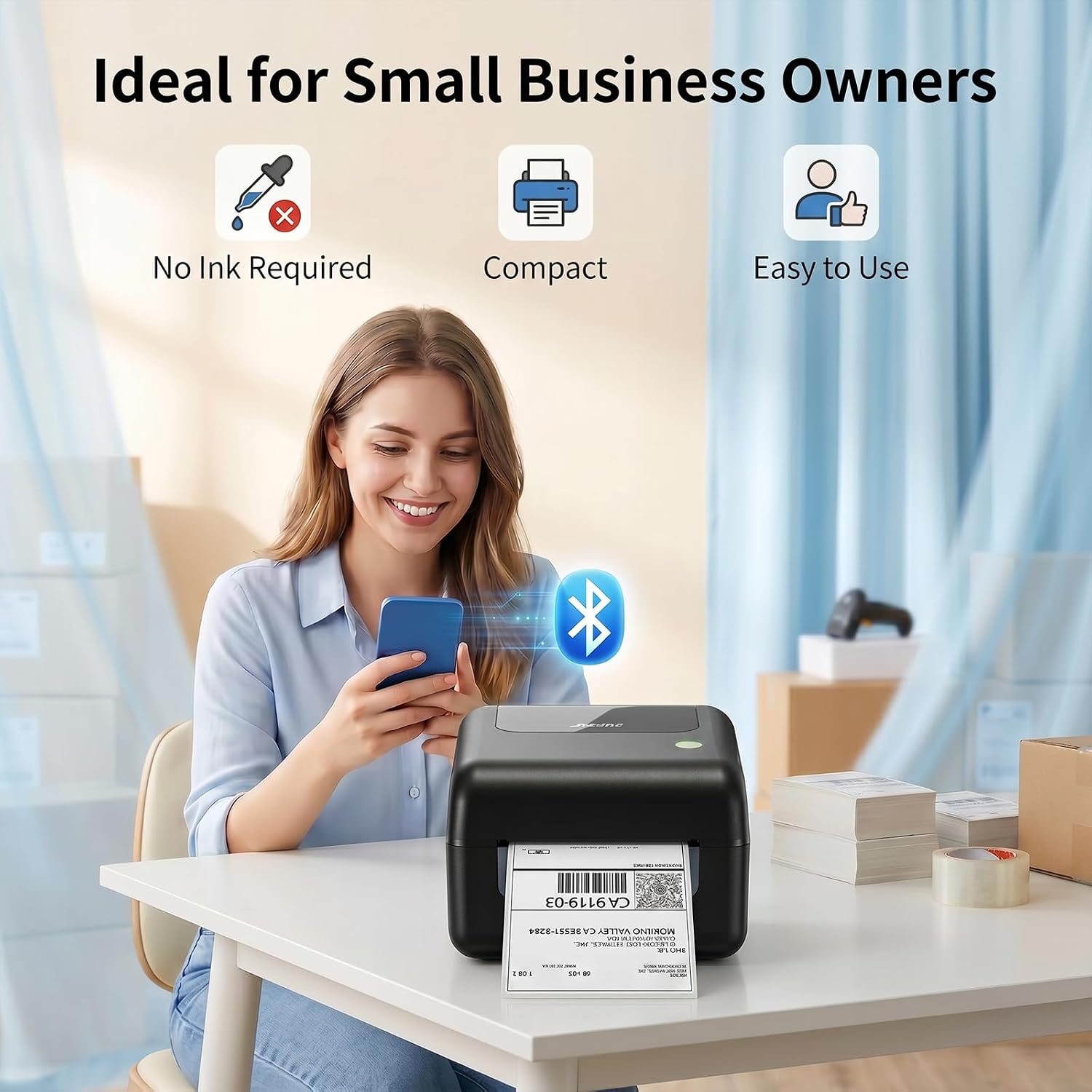
Forget rival printers for a second. The thing this actually competes with is your current routine, and for most Vinted sellers that routine is either the counter or the sellotape.
Six of the 100 most-recent reviewers mention Vinted by name, and they describe the same before and after. Sharne bought one "to speed up Vinted postage - zero regrets!" and reports it "Pumps it out sooo quick". Benjamin H. runs one over USB from a PC while "my partner can print her Vinted labels over bluetooth" from her phone. Plenty more never name the app they sell on and just describe killing the same errand. One likes that it "Saves standing in the local shop waiting for the grumpy shop keeper to print my labels". Another prints the QR codes at home so "i can do them at home and drop and go in the post office".
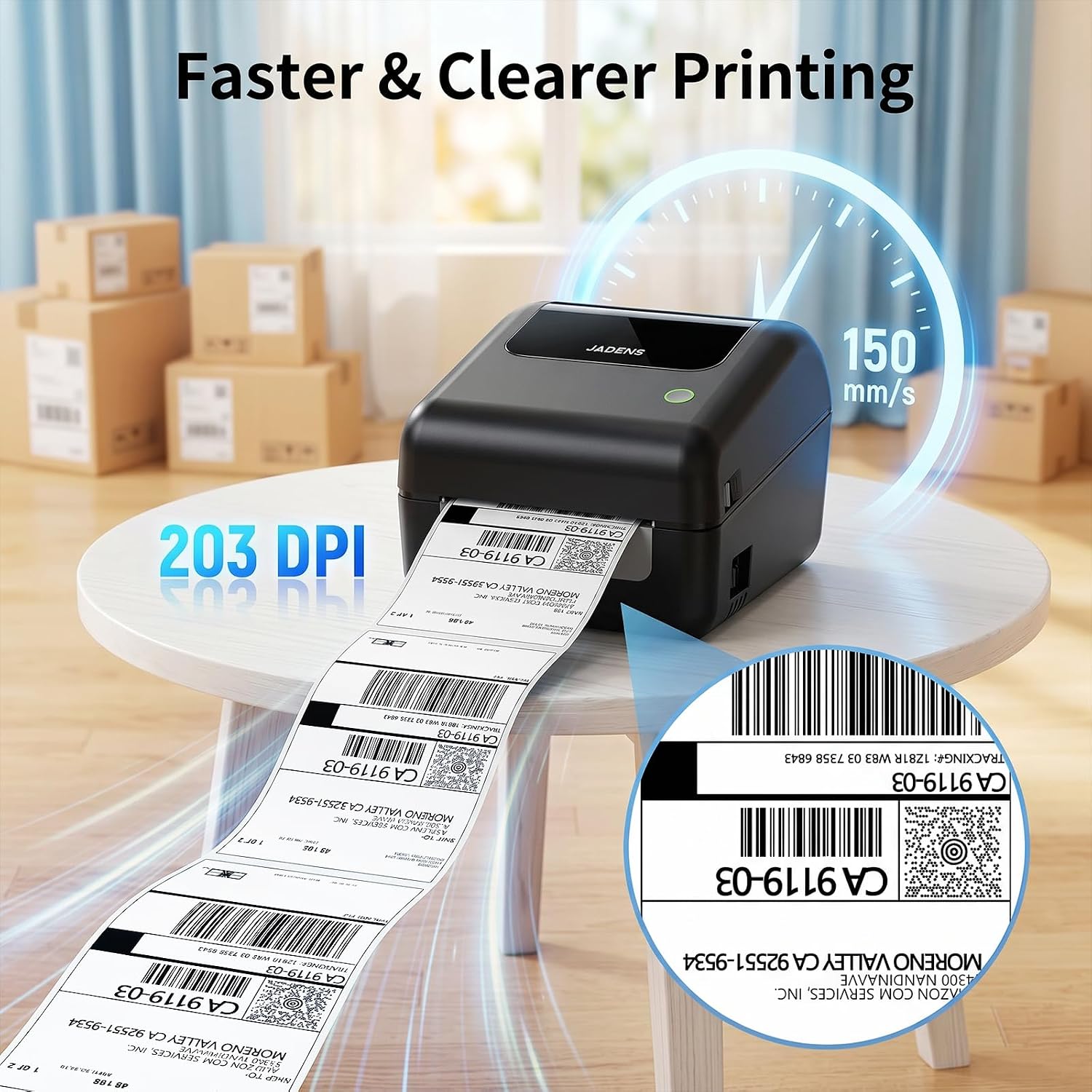
The mechanics are dull, and that is the point. Thermal printing means there is no ink and no toner in the machine at all. Heat darkens the coated label, so labels become the only consumable you ever buy again, and JADENS puts "No Ink Required" front and centre on its own feature image. The listing quotes 150mm/s, which works out at roughly a second for a 6-inch label. Sharne, same reviewer as above, puts it less technically: it "Spits it out immediately (scared the bijeezers out of my hubby)".
If you post one parcel a month, keep taping. If you are shifting a few items a week and you already resent the queue, this is the category to buy into. The question is which printer in it, so let's take the two obvious alternatives in turn.
Against a Zebra, the Gap Is Smaller Than the Price Gap
Trade up from this category and you land on a Zebra, the squat black unit behind every shipping counter in the country. Zebras are built for warehouses, built to survive, and priced accordingly.
One five-star buyer here had been hunting for "a reasonably priced label printer to print Royal Mail labels for my online business" and ran the comparison in plain language: the JADENS "is very close to being as good as the Zebra G20d which is about 3 times the price". That is one buyer's opinion rather than a lab test, but it is not a lone voice. Rob Hughes has bought more than ten of these for a business and rates them specifically against the expensive kit, saying they win because sizing the print to fit the label is "a breeze, unlike many, vastly more expensive models on the market which take over an hour to calibrate".
The print itself runs at 203 dpi, the resolution most shipping label printers use, and the reviews reflect it. George arrived here after a first thermal printer turned out "rubbish, missing letters and print quality very faded" and calls this one "sharp and clear". Emma has been through a few: "it's so hard to find a decent label maker, I've tried several over the year and they have been useless", and rates this one "the best I've found so far".
Verdict on this matchup: if you are shipping hundreds of parcels a day, buy the Zebra, because that is what it is engineered to do. If you are a Vinted or eBay seller pushing out a handful of parcels a week, nothing in these reviews supports paying triple for a label that is already sharp.
The Cheaper Printers Make You Feed Labels From a Stack on the Desk
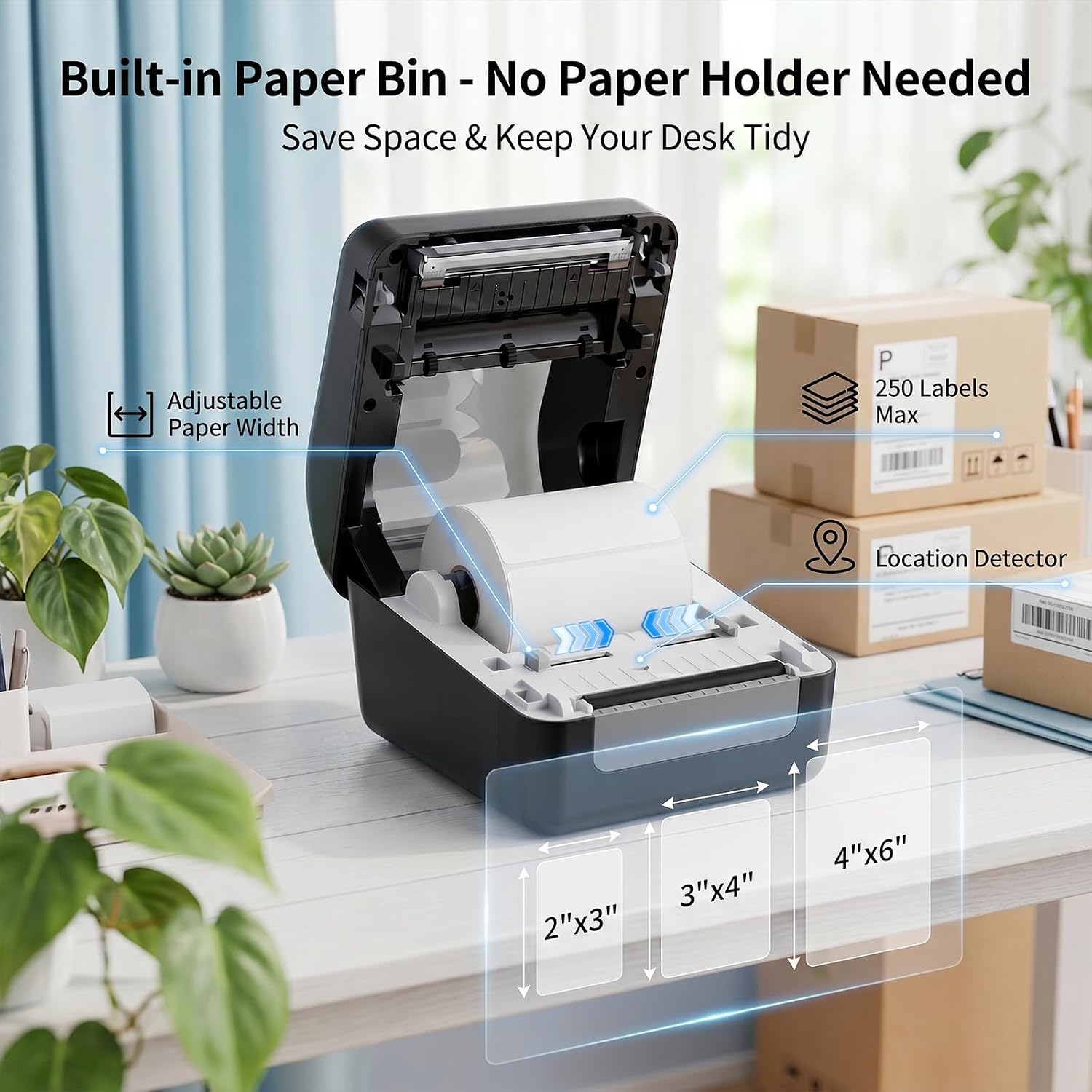
Go the other way and you are into cheaper Bluetooth thermal printers, which will put the same 4x6 label on the same bag perfectly well. The difference is where the labels live, and JADENS knows exactly where it is aiming. One of its feature images leads with "Built-in Paper Bin - No Paper Holder Needed" and "Save Space & Keep Your Desk Tidy". That is a shot at every printer that makes you park a roll on a stand behind it and thread the labels in.
It landed with at least one buyer. Donna E Joy had been "searching for a reputable thermal printer that doesn't need to feed from a stack outside the printer and doesn't break the bank" and signs off with "Found it!". The lid lifts, the roll drops in, the lid closes. Manny likes that it is "really compact as the label go inside the printer". Andrew Gordon puts it plainly: "Labels are stored / used from within the printer." Sharne, the Vinted seller from earlier, says that "with internal storage the whole thing is neat and tidy".
Do not read compact as tiny, though. The listing gives it as 6.89 by 5.91 by 8.07 inches, so roughly 17cm wide, 15cm tall and 20cm deep. That is a shoebox on its side, and it is a permanent resident on your desk. Benjamin H. says "It fits snugly on the edge of my desk" and Joseph Gavin calls it a "decent small size not taking up much space", which is about right: small for what it does, not small in absolute terms.
Verdict on this matchup: the internal roll bin is the reason to spend more than the cheapest printer on the results page. If your printer lives in a cupboard between sales, it matters less. If it lives on your desk next to the parcel tape, it is the whole argument.
The 500-Label Roll Will Not Fit Inside, and the Listing Only Says So in Tiny Type
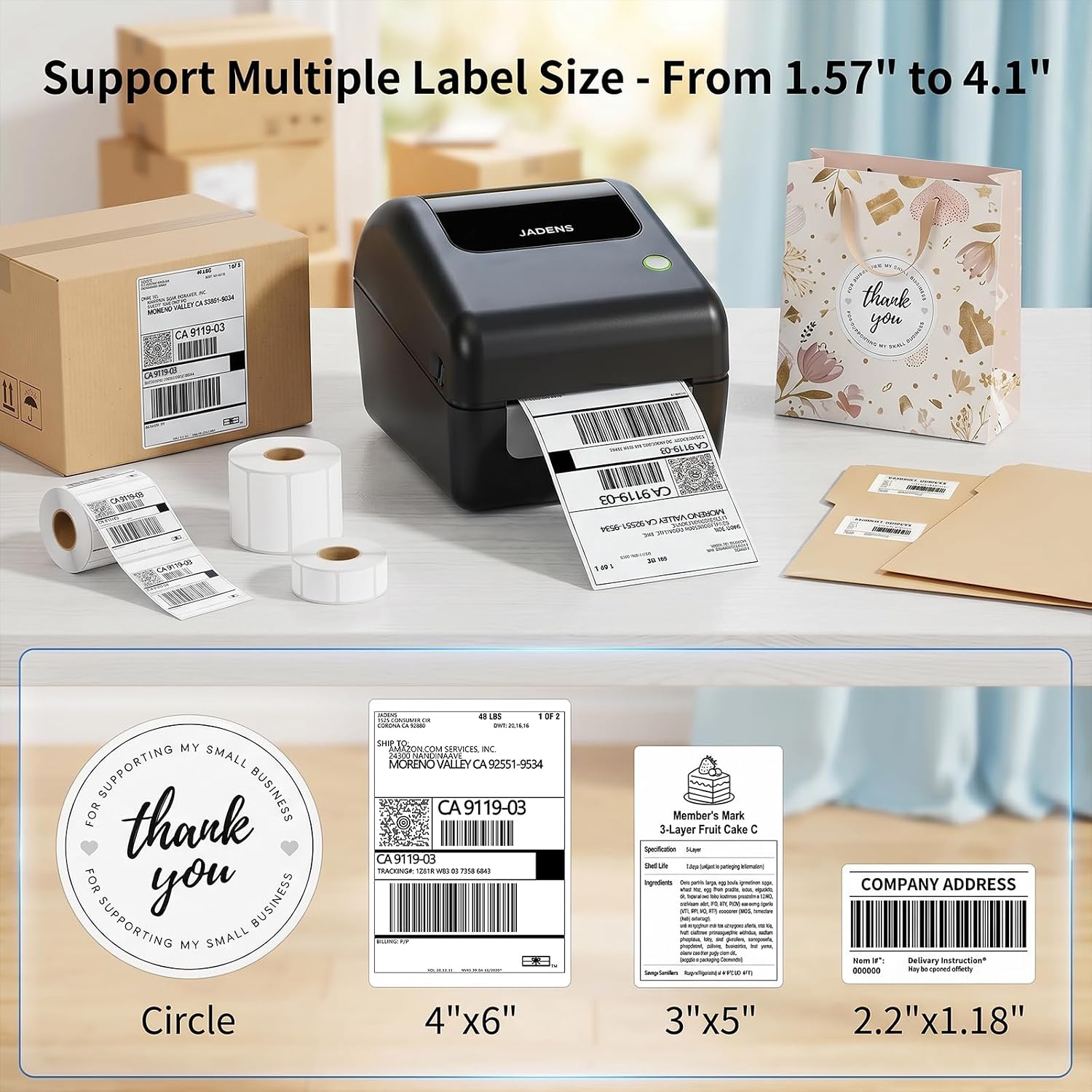
Read this bit before you order anything else. The built-in bin that makes the JADENS so tidy also caps what you can drop into it. On the same feature image that sells you the paper bin, in small grey type next to a stack of boxes, JADENS prints "250 Labels Max". Nobody reads that far into the feature images.
Eight of the 100 most-recent reviews raise the roll size, which makes it the most repeated complaint on the listing by a distance. Saadi went one star under the title "ATTENTION NEW BUYERS !! BEWARE, THERE IS A LABEL ROLL FITTING ISSUE !!", and the substance is that the printer "does not properly fit a 500-label roll inside the machine", a limitation Saadi says is "not clearly mentioned in the product images or description". It is mentioned. It is just mentioned in tiny type on an image most people scroll past, which comes to the same thing.
Rehman, at two stars, describes what actually happens when you try: "The roll doesn't sit properly on the support bar and just rests on the base, causing feeding issues." Another two-star buyer frames it for the UK market: it "doesn't take a full royalmail label roll either".
The fix is cheap, and two five-star owners spell it out. Laszlo confirms the limit ("it can take only the 250 labels rolls, not the 500 ones") and the workaround: "you can get a roll holder and the printer can be feed from behind". carl, who bought 500-label rolls anyway, says: "I would recommend the cradle for the roll as it does not fit in the printer, they do sell the cradles on here."
So this is a spec rather than a fault, but it is a spec you have to buy around. Order 250-label rolls and use the internal bin, or order an external roll cradle alongside the printer and feed from the back. What you cannot do is order a fat cheap roll and assume it will drop in.
Everyone Rates the Printer. Almost Nobody Rates the App.
Read the four-star reviews on their own and a pattern jumps straight out. People are not docking a star for the printer. They are docking it for the software.
There are seven four-star reviews in the 100 most-recent, and two of them say the app cost the fifth star outright. Josh M titled it "Good printer poor app" and explained: "Love the printer it makes clear labels and it's fast to connect, app however is finicky and a bit slow, you have to crop it twice before printing for some reason", finishing with "If they sorted the app it would be 5 stars." George is blunter, giving "4 stars because of the app", then describing the obvious workaround: "The jadens app cant do much so I downloaded the Shipping Printer Pro app and using this one instead."
Cropping every label is the recurring irritation, and there is a fix worth knowing about. One three-star reviewer originally left one star, then came back and edited the review after working out the cause was not the printer at all. The advice: "Make sure on desktop (or viewing ebay desktop mode on mobile), that the label print setting IS 4x6 size, NOT Letter size." Get the platform to produce a 4x6 PDF in the first place and that "eliminates the need to CROP the label before printing them". The same reviewer, on Android, still flags that "the need to have location on is VERY strange", which is more of an Android Bluetooth quirk than a JADENS one, and still annoying every single time.
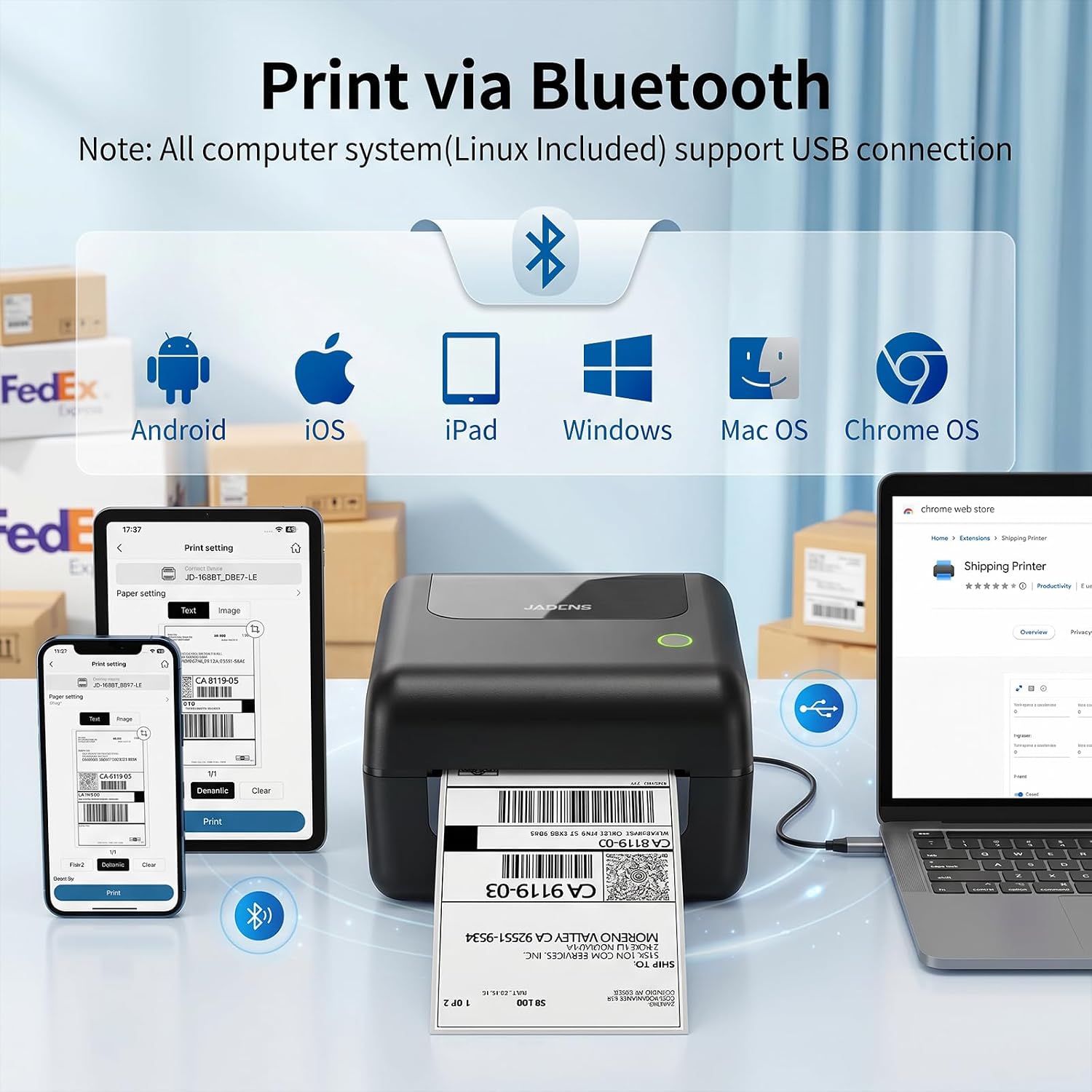
Then there is the desktop question, and the answer is uncomfortable. All three reviewers in this sample who describe trying to print over Bluetooth from a Windows PC failed. Laszlo, a five-star owner, says "The Windows driver is adequate, but I could never get thos thing working on Bluetooth on Windows", while Bluetooth from an Android phone works fine. kittycat prints happily over the cable but "cannot get Bluetooth to work on windows, keeps saying drivers not detected". Rhubarb and Custard lost hours to Windows 11 and produced the sharpest line in the whole review set: "It was very much like the experience of 15 or 20 years ago". JADENS all but concedes the point in its own image, where the Bluetooth banner carries the note "All computer system(Linux Included) support USB connection".
Mac is split down the middle. Nick A says "it works amazingly with Mac, which is hard to find" and Steve found it "very easy to set up on my Mac", while Miriam found "the instructions are not very clear for mac" and Nna gave up and prints from the phone instead.
What to take from this: buy it as a phone printer. Print from your phone over Bluetooth, plug the USB cable in when you want it on a computer, and do not buy it expecting wireless printing from a Windows desktop. Joanna Hall, five stars, gives the same warning in one line: "Be aware you need to have laptop attached with USB cable to print".
Will the Barcode Actually Scan at the Drop-Off?
This matters more than print speed or desk footprint, because a label that will not scan is a parcel that goes nowhere and a sale you have to refund.
The worst review in the set is exactly that scenario. Jenny Shortt printed a DPD label, took it in, and "I’ve tried twice to get the post office to scan the label and it’s not worked". By then the box was long gone and returning the printer was off the table. One star, and it is the precise outcome you are buying a printer to avoid.
It is also rare, and buyers who went looking for it before ordering came away fine. One five-star reviewer says: "I saw someone had said they had issues with scanning QR codes, but i haven’t had any issues". Others are printing through the exact UK stack you will use. Brian Philbrooks prints "straight from the royal mail app". ginaribena bought one "to use for Ebay, Royal Mail, Evri and Vinted labels". Erica Mole prints InPost labels, with the caveat that they "have to be cropped to include just the label without the instructions".
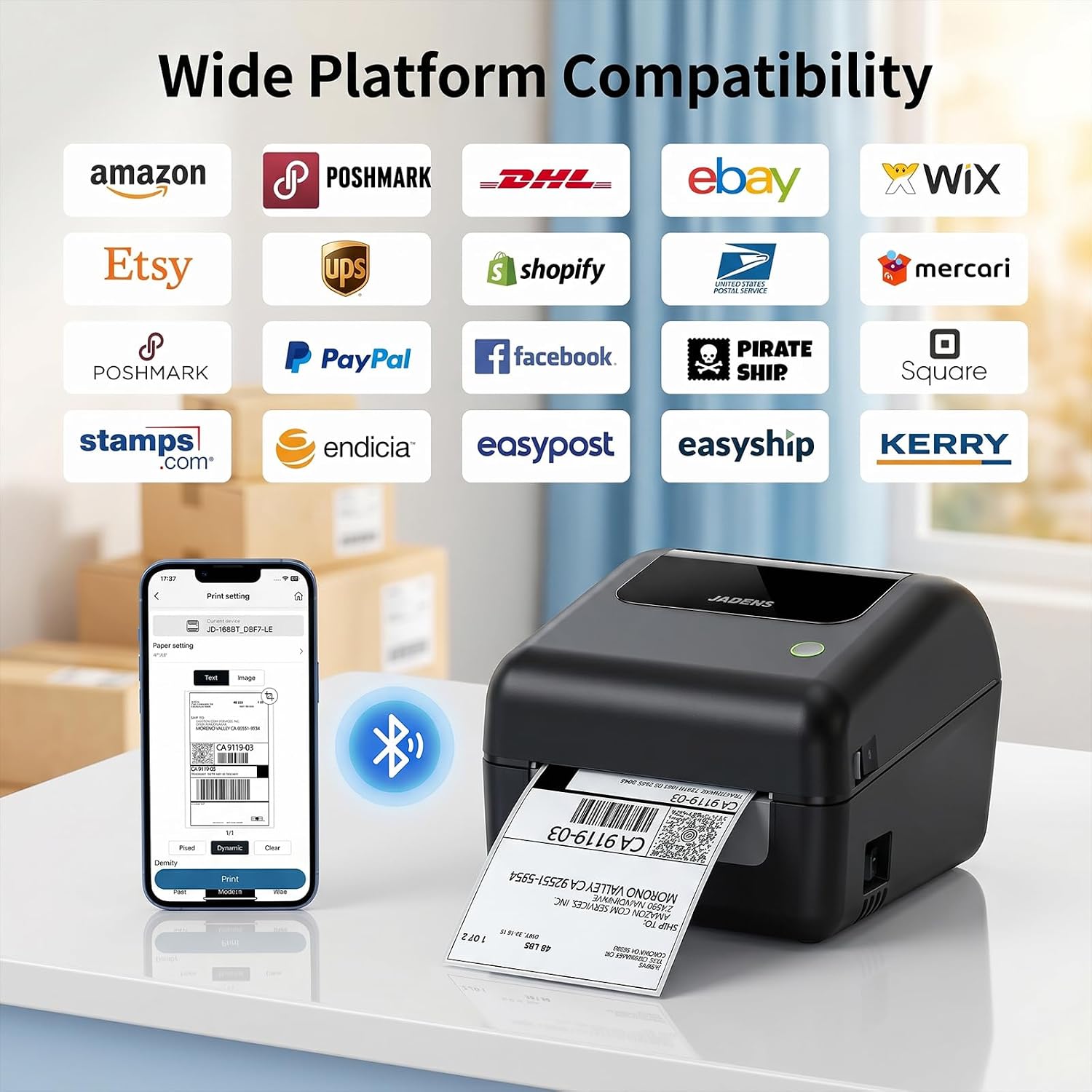
One thing worth clocking before you order: the "Wide Platform Compatibility" image on the listing is written for American sellers. USPS, Pirate Ship, stamps.com, Poshmark and Mercari all get a logo. Royal Mail, Evri, InPost and Vinted appear nowhere on it. Read nothing into that. The printer prints whatever 4x6 PDF or image you hand it, which is why UK reviewers are quietly printing Royal Mail, Evri, InPost and Vinted labels on it every day. It only means the listing is not talking to you.
As for why the odd label fails to scan, the reviews cannot prove it, but there is a candidate. Jenny Shortt was wrestling the same sizing problem everyone else describes, "printing direct from the pdf, using as an image etc.", and a label scaled down to fit produces a barcode scaled down with it. John Lilburn Duns, at four stars, describes the symptom without ever hitting the failure: on some labels "the name and address are very small and difficult to read, so a bigger label is necessary".
Reliability deserves a number. Eight of the 100 most-recent reviews are one star, and the hardware failures inside them are real. hammad reports "the printer broke within the first day of use". Another one-star owner describes a red light flashing after every print and the printer refusing to land the label where it should. Bilal, at two stars, says that "after one month its printing quality is going worse". Wrathchild got about a year of eBay, Vinted and Depop out of one before it started "refusing to print refusing to turn on". Set against them, DannyMax says it "Has worked well for me for 2 years so far", South Wales Dave has "used this now for over a year", and Rob Hughes runs more than ten of them commercially.
Which points to the obvious move. The box ships with 50 test labels and a starter roll. Print a real Vinted label the day it arrives, take it to your drop-off point, and watch it scan while you are still comfortably inside the return window.
Buy It, Then Buy the Right Label Roll
Buy the JADENS 4x6 if you post more than a couple of parcels a week on Vinted, eBay, Depop or your own shop, you print from your phone, and you want the label roll to live inside the printer rather than on a stand behind it. Across 1,589 ratings and a 4.5-star average, that is the buyer it works for, and it keeps working: two owners in the last 100 reviews are more than a year in and still printing, one of them past two years.
Skip it if you need wireless printing from a Windows desktop, because not one reviewer in the recent sample managed it. Skip it if you are already committed to 500-label rolls and cannot face buying a cradle. And skip it if you are shipping in the hundreds every day, because that is Zebra territory and always will be.
Everyone else, this is the sensible first thermal printer, at a fraction of what the trade kit costs. It prints a sharp 4x6 label in about a second, it never asks you for ink again, and it turns a Post Office queue into a walk to the drop-off shop. Just add a pack of 250-label 4x6 rolls to the same order and you have skipped the one mistake most buyers make. Check today's price on Amazon before you commit.
JADENS 4x6 Wireless Bluetooth Thermal Shipping Label Printer
Prints a sticky 4x6 Vinted, Royal Mail or eBay label in about a second, straight from your phone over Bluetooth. No ink, no toner, and the label roll hides inside the printer.