Left Handed Vertical Mouse for Wrist Pain UK: The Ache Stops, the Scroll Wheel Is the Catch
Vertical mice are everywhere. Left-handed ones are not, which is why this Perixx keeps surfacing in UK RSI threads. The reviews split hard: a wall of people whose wrist pain simply stopped, and a smaller group whose scroll wheel started slipping within months. Both are describing the same mouse.
- A Right-Handed Vertical Mouse Does Not Work in Your Left Hand
- Twenty of the Last Hundred Reviewers Say the Pain Stopped
- A Dozen of These Reviewers Are Right-Handers Who Moved the Mouse Across
- The Scroll Wheel Is the Weak Point, and It Fails After the Return Window Shuts
- The Buttons Are Reversed in Hardware, and That Splits the Room
- Amazon Is Showing You Reviews for the Wired Model Too
- The Dongle, the Desk Surface and the Rest of the Small Print
- The Left Handed Vertical Mouse for Wrist Pain UK Buyers Should Try First
Vertical mice are everywhere now. Walk past any bank of desks in a UK office and you will spot the tilted, handshake-shaped ones, sold on a single promise: stop rolling your forearm over flat, and your wrist stops complaining.
Then you try to buy one for your left hand.
The shelf empties out. Almost every vertical mouse on Amazon UK is moulded for a right hand, and a right-handed mould in your left hand is worse than the flat mouse you already own. The thumb scoop is on the wrong side, the click buttons sit under the wrong fingers, and the whole shape works against you. The specialists who do make left-handed verticals, Contour and Evoluent among them, price them as though your employer is filling in the form.
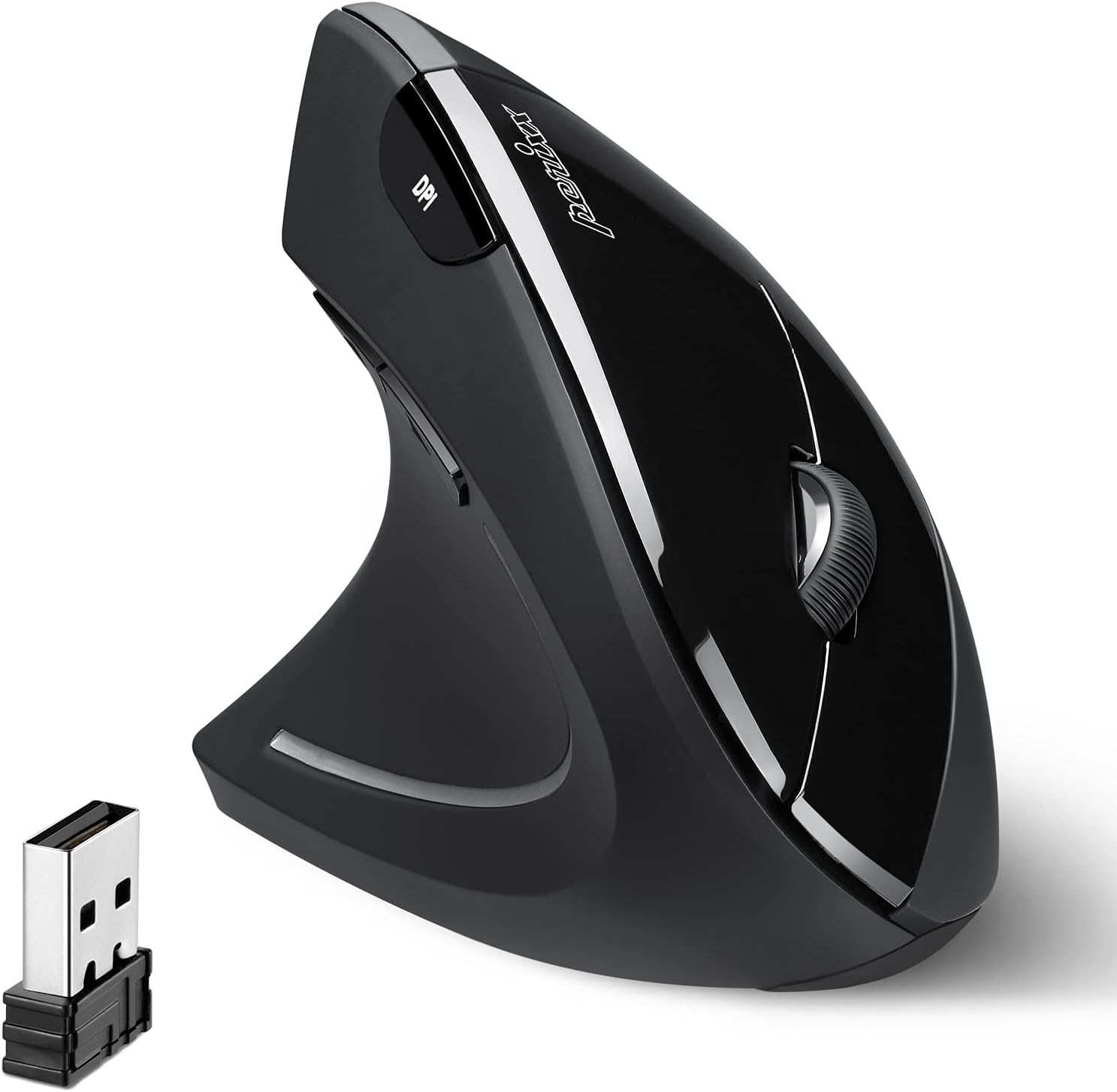
Which is how a lot of people in pain end up looking at the Perixx PERIMICE-713L, one of the few left-moulded vertical mice on Amazon UK priced like a takeaway rather than a medical device. Fifty-six of its last hundred reviewers gave it five stars. Eleven gave it one. They are not describing the same mouse. One camp is telling you their RSI went away; the other is telling you the scroll wheel died. The 4.3 stars it holds across 4,137 buyers is just those two camps averaged out.
A Right-Handed Vertical Mouse Does Not Work in Your Left Hand
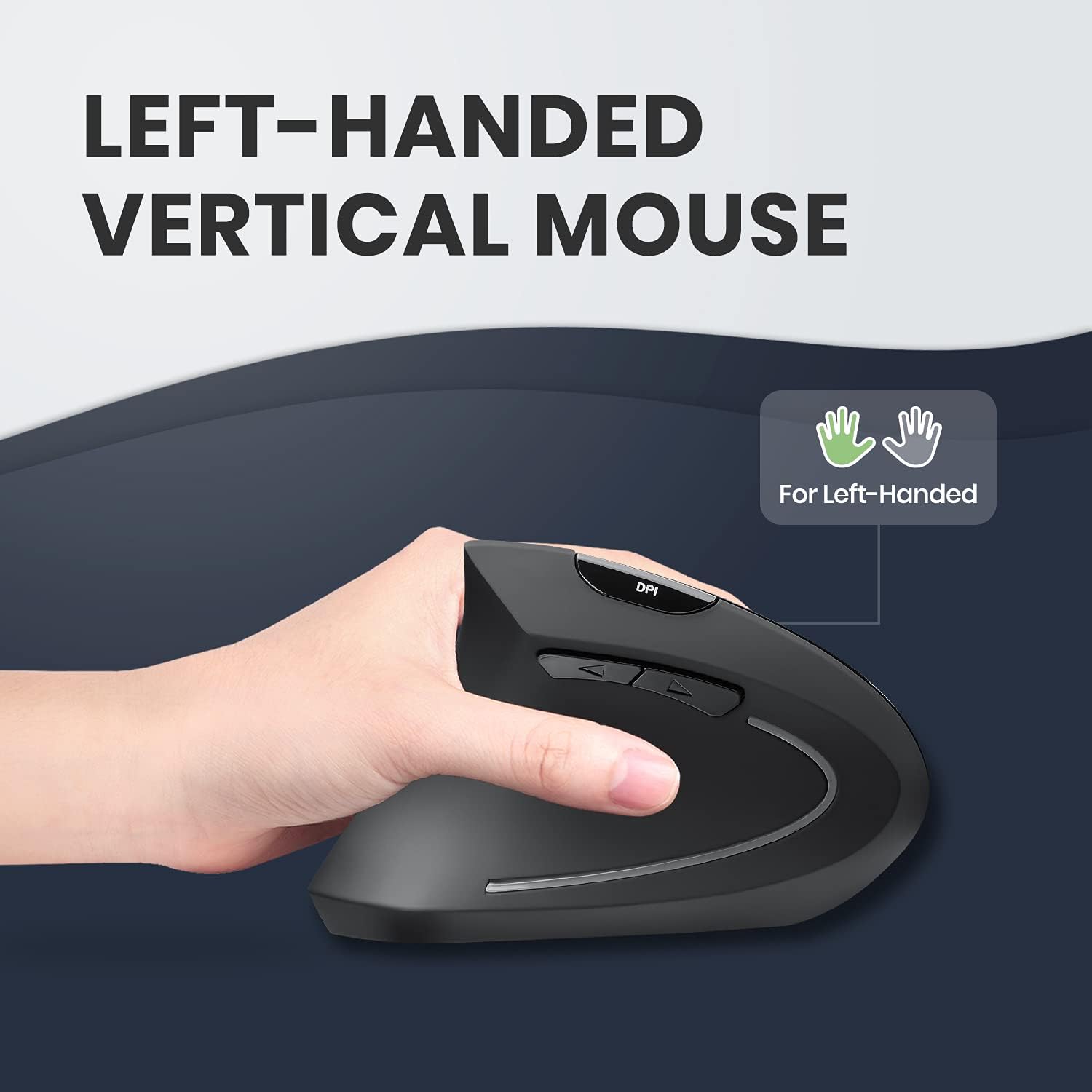
This is the part the big brands quietly skip. A vertical mouse is a sculpted shell, thumb scoop on one side, finger shelf on the other, tilted over so your forearm sits in a handshake position instead of flat. Perixx's own diagram puts the tilt at 46.64 degrees. It is a handed object, and mirroring it into the wrong hand stops it working: your thumb lands on the finger shelf and your fingers hang off the back.
Logitech's MX Vertical, the premium default everyone reaches for, is a right-handed mould only. Same story across most of the Amazon listings you will scroll past. That leaves left-handers, and the growing number of people moving the mouse to their left hand on medical advice, with a very short list. Reviewers say so themselves. "There isn't a lot of choice for left-handed vertical mice," one writes. Another: "I wish I'd bought one years ago, but the choice is very limited for left-handers."
The 713L is a real left-hand mould, and it goes one step further than the shell. The click buttons are swapped in hardware, so left click is under your index finger where it belongs, with no trip into Windows settings. That sounds small. It is the thing lefties keep singling out. "It's rare to get left handed mice with the buttons reversed rather than having change them in operating system," one five-star reviewer notes, and they are right. It also creates a problem, which we will come back to.
Twenty of the Last Hundred Reviewers Say the Pain Stopped
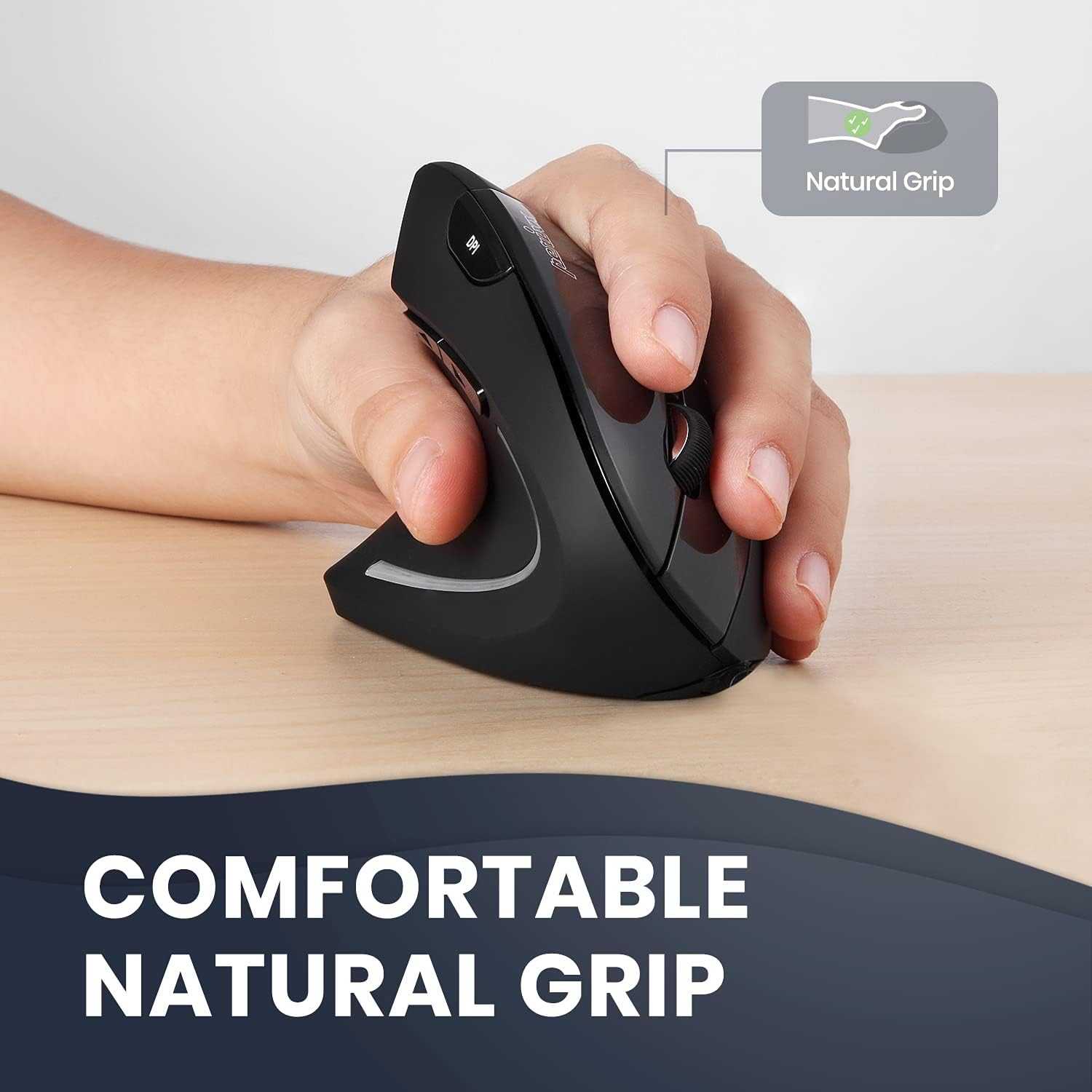
Count them and at least twenty of the 100 most recent reviews say some version of the same thing: the ache eased once they switched. Not that it feels nice, but that pain, strain, pins and needles or RSI symptoms backed off. For a product in this price bracket that is a striking hit rate, and it is the reason this mouse keeps surfacing in UK RSI threads.
The most emphatic comes from a reviewer named Richard Mount: "So had RSI from using standard mice for years, within days I noticed an improvement, within weeks nearly all symptoms gone, within a month or two, fully healed." Ayo, who had been in pain with a different ergonomic mouse, ends with "No more painful wrist." One reviewer keeps it to a line: "Don't have pins and needles in hand when using this." Tom was told by a doctor to move to a vertical mouse because of rheumatism, researched it, bought this, and reports the health issues "are now greatly relieved".
Two caveats, because this matters more than the usual gadget-blog upside. These are self-reports, not clinical outcomes, and a mouse is not a treatment. The most useful review in the whole set may be Nick Roots, who is measured about it: "Pain has not gone but since using this it has improved and I've done nothing else to help it." That is probably the realistic expectation.
The second caveat is the adjustment. Most reviewers describe a wobble at the start, and almost nobody says it lasts. A few report no adjustment at all. One reviewer timed it: "I used this at work and started at 10:00am and by 2:00pm I was able to use it with ease." Another puts it at about a day. Budget a week of feeling clumsy before you judge it.
A Dozen of These Reviewers Are Right-Handers Who Moved the Mouse Across
Here is the group nobody writes for. At least a dozen of the 100 most recent reviewers are not left-handed at all. Most of them moved the mouse to their left hand because their right one gave out. Shoulder injuries, carpal tunnel, arthritis, RSI in the right arm. If you found this page by searching for a left handed vertical mouse for wrist pain, there is a decent chance you are one of them.
Jane's review is the clearest: "Due to a shoulder injury, I was advised to change from using a right handed mouse to left. I was lucky that I was able to trial some computer mice through work and decided that this was the most comfortable and practical. This has helped me recover." Another reviewer damaged their right wrist and "needed to be able to work while my wrist was healing so had to convert to left handed". David Martel is using the "wrong" hand for a time to rest the other arm and shoulder, and says the fit is perfect.
But two of the most detailed negative reviews in the sample come from this group, and the reason is worth understanding before you buy. A hand-switcher is learning a new hand and a new mouse shape at the same time, so when things go wrong they cannot tell which one is at fault. Ms Lewis gave it three months and two stars. She switched for medical reasons, expected the awkwardness, and assumed it was her: "I get annoyed daily when it doesn't click where I want it to or where I move from the left screen to the right screen and it drags (a lot)." Then a left-handed friend visited and tried it, and the verdict came back: "turns out the issue is not me, the issue is the mouse". She works from home on her PC five hours a day, and Amazon took the return outside the normal window.
The practical lesson: if you are switching hands, give it a fortnight, and buy somewhere you can send it back. For the first week you will have no idea whether the cursor is wandering because of the mouse or because of you.
The Scroll Wheel Is the Weak Point, and It Fails After the Return Window Shuts
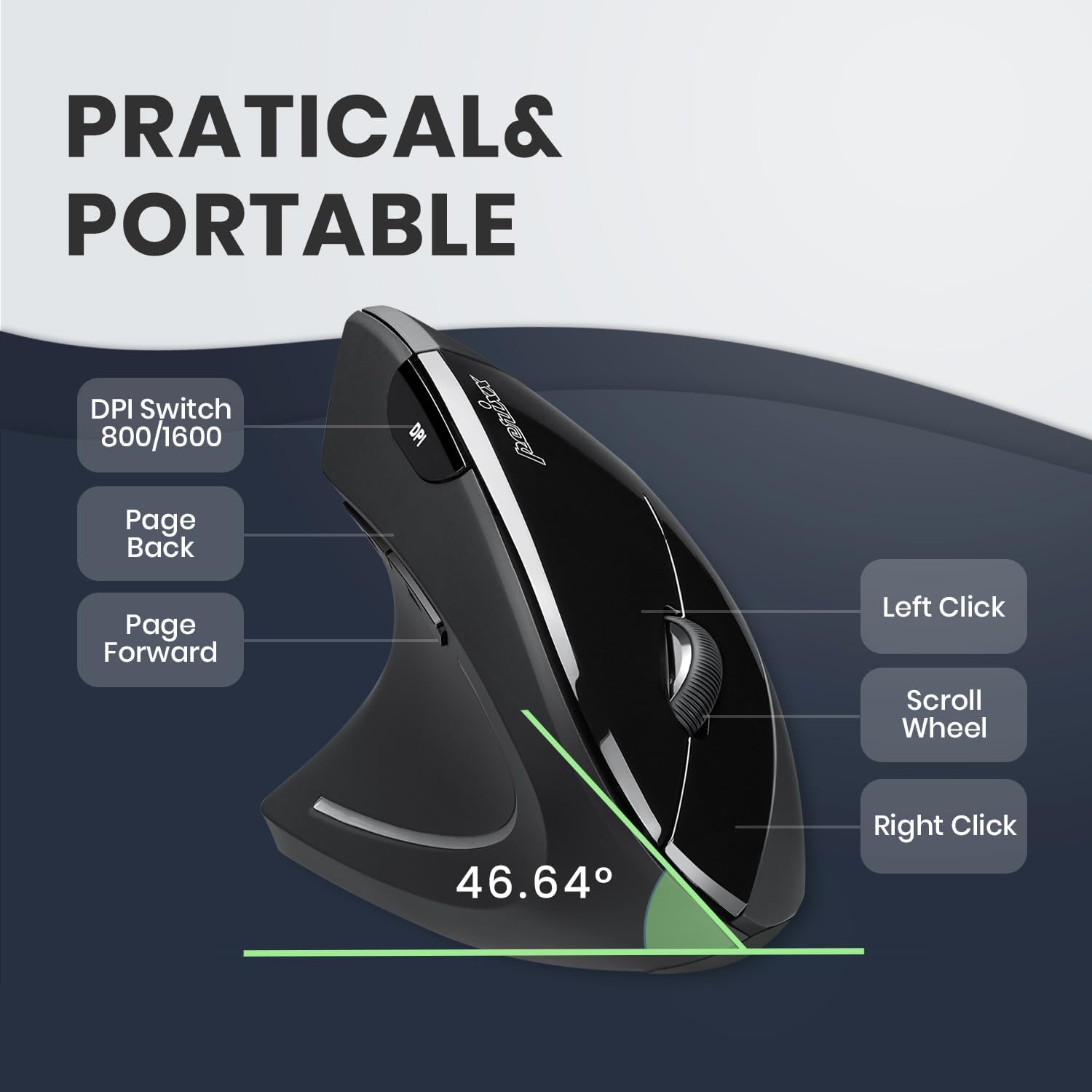
Now the bad news, and it is specific enough to act on. Nine of the 100 most recent reviewers report the scroll wheel going wrong, and five of the eleven one-star reviews are about that single component. One part is failing, over and over, in roughly the same way.
One reviewer took the trouble to work out what actually breaks: "The serrated outer ring is slipping round the core wheel rendering it unable to be used to scroll items on-screen." That was after four months of regular use. Another had a wheel develop a squeak at one month old and found it "unbearable" for twelve-hour days. A third describes it scrolling "one way and then suddenly the window will scroll in the other direction", and calls it "a mechanical fault and not something I can fix myself". One more, blunt: "the scroll wheel soon stops working, giving random outputs when turning. One to avoid."
The timings cluster badly. The failures in this sample land between about one month and six months, with a few running to eighteen or twenty. A handful of reviewers report the whole mouse dying rather than just the wheel, and two of them are on repeat purchases. One is on their third: "each one lasts just over a year before it stops being responsive."
Do the maths and the sting is obvious. Amazon's 30-day return window closes long before the typical failure. Two of the one-star reviewers say exactly that, and it is what turns their reviews from disappointed into angry.
There is a real counterweight, though, and it is the single most useful thing in this article. Two reviewers in the sample went to Perixx directly with a fault, and both got a replacement. One had a right button fail after nearly a year: Perixx answered their emails, sent troubleshooting steps, then dispatched a new mouse "within four days of my first raising the problem". The other had batteries draining in under two days, contacted Perixx, and was offered an immediate replacement. Perixx is a German outfit with a real support desk behind it. If your wheel starts slipping at month five, do not shrug and buy another mouse. Email them.
The Buttons Are Reversed in Hardware, and That Splits the Room
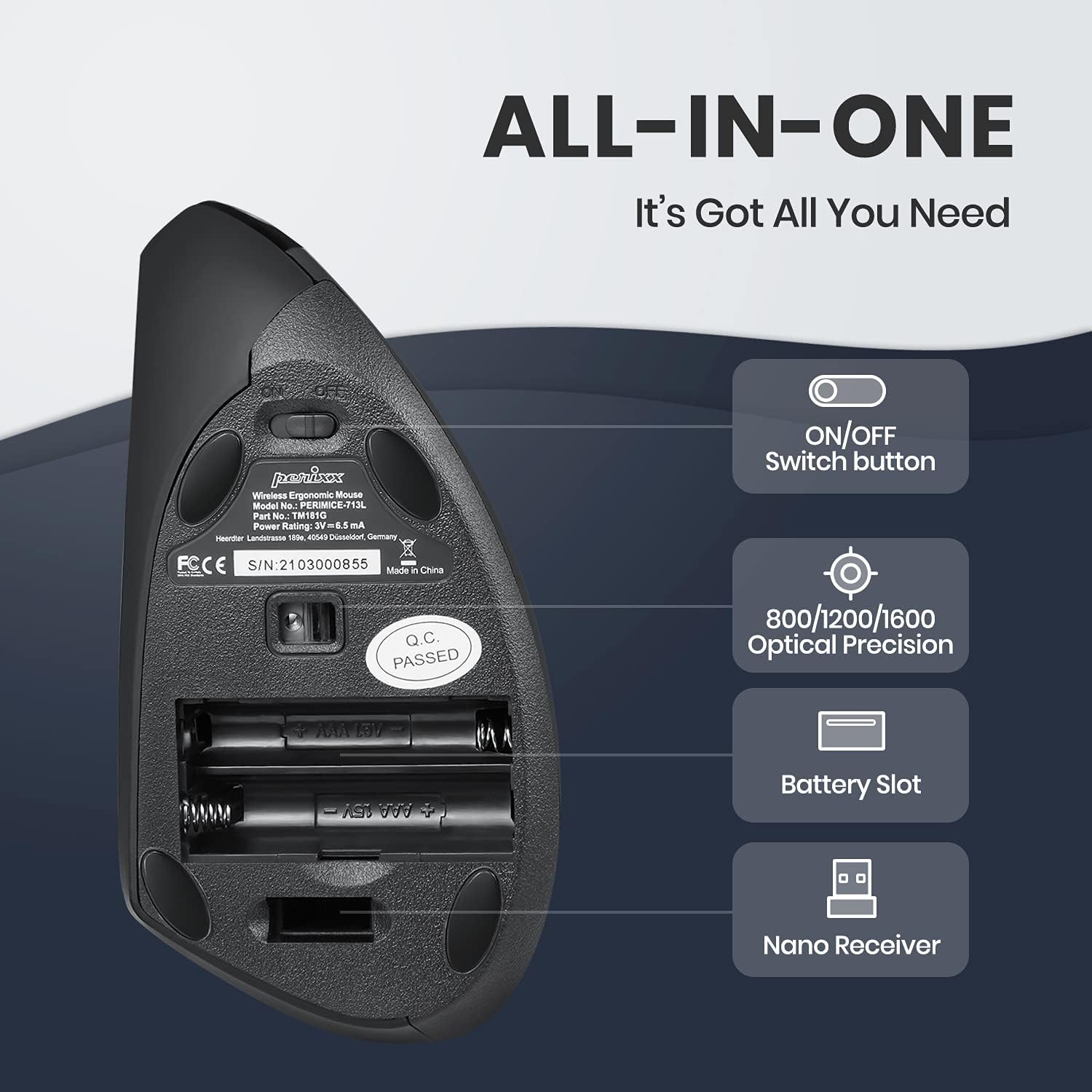
The hardware button swap is the 713L's best feature and its most divisive one, depending entirely on how you work.
If this is the only pointing device you use, it is a straight win. You plug it in and left click is where a left-hander wants it, with no software fiddling. One reviewer even posts a warning worth repeating, because it will save you an afternoon: "if you have been using a Normal mouse with the two buttons reversed in Control Panel (so you can use it left handed), you will need to put them back to normal as this is actually wired as a left hand mouse". Switch the software swap off, or you will swap the swap and wonder why everything is backwards.
If you move between machines, it is a daily irritation. One three-star reviewer explains it neatly: "the buttons are reversed. Yes I can change this in windows settings but i often use a wireless normal mouse away from the desk so I have to change it every time I work with a different mouse." A four-star reviewer adds a sharper version, which is that the Control Panel fix does not always hold: "some games do not support it which still makes it a problem."
The thumb buttons split people the same way. One reviewer loves them without reservation: "One feature that I love is a little button right by your thumb which, if pressed, saves you having to click on the actual back button in your browser - brilliant!" Another docked a star purely for their placement, writing that the "ergonomics of Forward/Back buttons poor so not 5 stars". And in the most detailed one-star review in the set, the two problems compound: reaching for the clickers made the mouse slide away, so they gripped harder, and then the "thumb then inadvertently hits the poorly placed back/forward buttons".
One last thing about the button count, since the listing leads with "6 Buttons Design". A reviewer counted them properly and was unimpressed: "the sixth button only controls the cursor speed. The rest are the standard Microsoft five buttons." In other words the DPI switch (800, 1200 as standard, 1600) is being counted as a button, and there is no bundled driver for remapping. If you came for six programmable buttons, that is not what lands on your desk.
Amazon Is Showing You Reviews for the Wired Model Too
Read this before you read the reviews, because it will change how you read them.
Amazon pools the reviews on this listing across more than one Perixx mouse. Look closely at the box shot in the product gallery and the manual is printed "PERIMICE-513L 713L". The 513L is the wired model. The 713L, the one on this page, is the wireless one. The reviews arrive in a single stream with nothing to tell you which mouse the person actually bought.
Once you know, you start spotting it. One long five-star review says "the only major change, is this is my first time using a corded mouse". Another explains "Wanted the cabled version as didnt want to keep changing batteries, so this satisfied the requirements". A third praises it because it "saves money on batteries". One reviewer reports that after eighteen months of abuse "the only wear and tear was the wire itself". None of those people are describing the mouse you are about to buy.
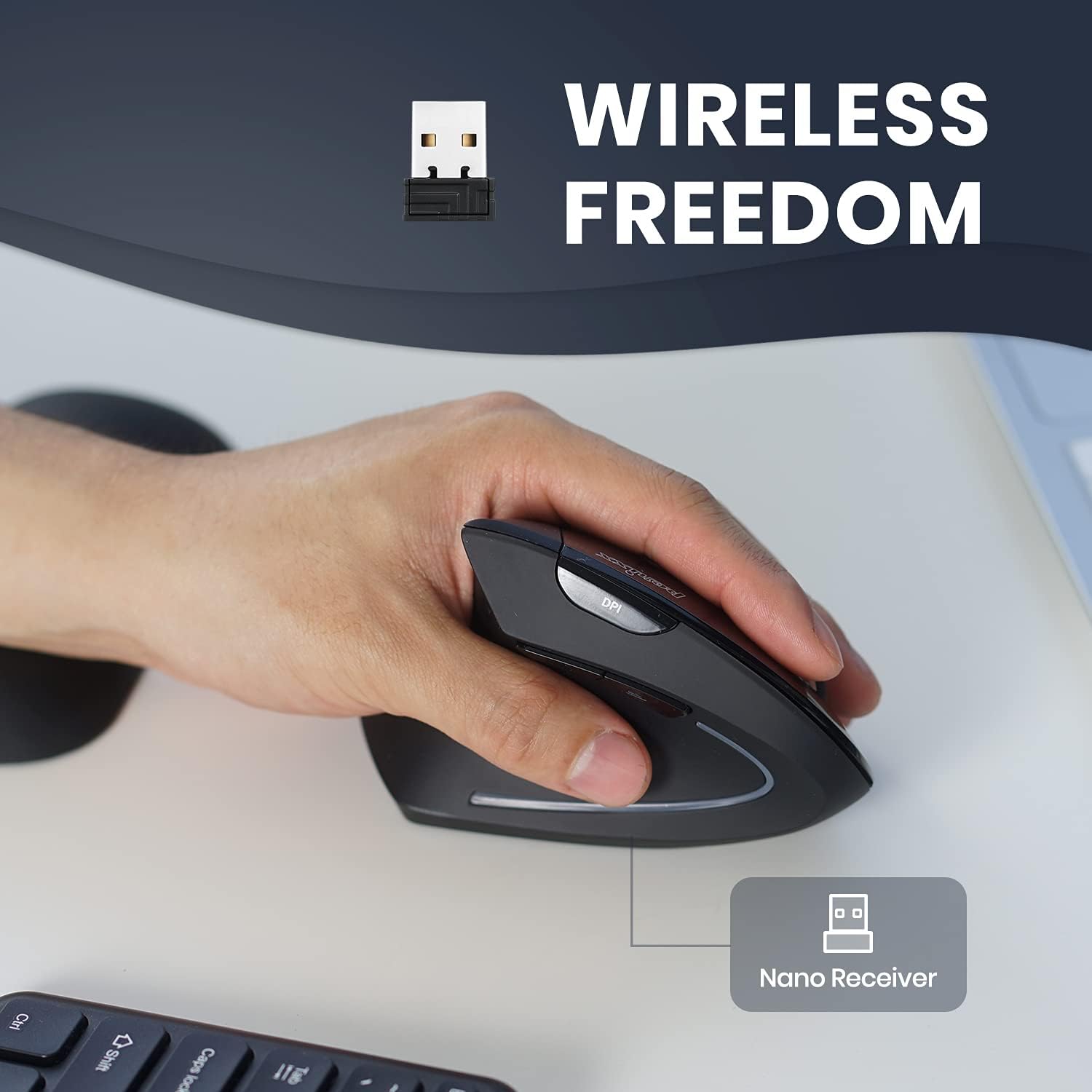
So if a glowing review sold you on never having to change a battery, ignore it. The 713L takes two AAA cells, and they are not in the box. It has a 2.4GHz nano receiver that stows in a compartment in the base, and an on/off switch on the underside that you should actually use.
Battery life on the wireless version, judged only on reviewers clearly talking about it, is mixed. One three-star reviewer says it "eats batteries quite heavily". Against that, another had it several months of daily work use before swapping the first set out, and a third simply says "the batteries last for ages". Flick the switch off at the end of the day and you will likely land in the second camp.
The Dongle, the Desk Surface and the Rest of the Small Print
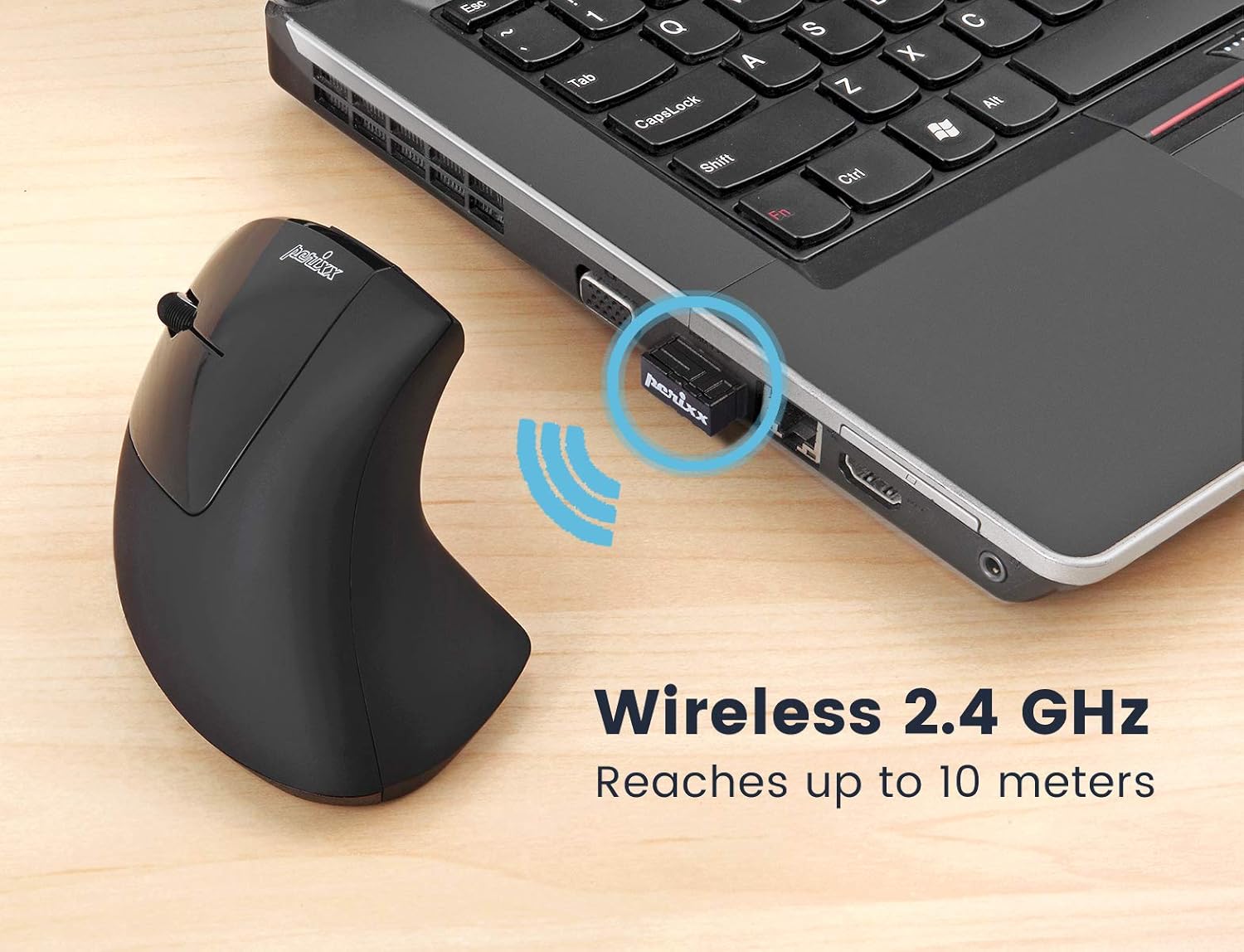
Move the receiver before you return it. Perixx's own listing image claims the 2.4GHz link reaches up to 10 metres, but the complaints are about placement, not distance. One reviewer kept dropping the connection with the receiver in a front-panel USB port on their PC and fixed it by moving it to a port on their keyboard. Another only got theirs stable by running it through a non-powered USB hub, and revised their rating upward afterwards. If the cursor stutters on day one, try a different port before you write it off.
If the cursor wanders, try a different surface first. Take that as our advice, not a verdict from the reviews, because only one person in the hundred ties a tracking complaint to a particular desk. That is the most detailed one-star reviewer, who found it "poor on shiny computer desk" and "worked ok" on a rougher one. One other could not get it to track on their mousemat, the table or a book, which reads like a faulty unit. So if yours is jumpy on glass or gloss, put a cloth mat under it before you write the mouse off.
Hand size is a lottery, and the palm corner is the thing to watch. The reviews contradict each other flatly. One three-star reviewer says "The mouse is designed for a man's hand and grip size not a female/smaller hand", while a reviewer with "quite small hands" says it has "a nice slim and low profile that fit perfectly". Large hands have their own gripe: one five-star reviewer finds the top corner that sits in the palm "sharp", leaving "an uncomfortable imprint" after long sessions, and sticks Blu Tack on it to solve the problem. It is a mid-sized mouse, and if your hands are big you should expect to notice that corner.
The gloss picks up marks. Four of the 100 mention it. One says the button plastic holds "the skin oils meaning it needs cleaning at least once a day". Another knocked a star off purely because they wanted matte click buttons. Cosmetic, but if you are precious about a clean desk it will irritate you.
Mac users, proceed with a caveat. The listing only promises Windows 7, 8 and 10. In practice one reviewer runs it daily on a Mac mini M1 and reports "no issues at all", and uses the third-party Mac Mouse Fix app to get the two thumb buttons working, and another verified it on a 2019 MacBook Pro. A third titled their four-star review "Not fully compatible with Mac iOS". It works. The thumb buttons may need help.
The Left Handed Vertical Mouse for Wrist Pain UK Buyers Should Try First
Against the mice that actually compete with it, the Perixx has a clear and narrow job.
Versus the Evoluent. The best comparison in the whole review set comes from someone who has used wired left-handed Evoluent verticals for fifteen years and is on their third. They give the Evoluent the win on button positioning, feel and build quality, and note the Perixx is "a bit smaller than the evoluent and not quite as vertical". Then comes the point that decides it for most people: "price is where the perimice wins... With ergonomics, price shouldn't be the driving consideration, but this difference is hard to ignore." The gap they were describing was several times over, not a matter of a few pounds. Prices move, so check today's price on Amazon before you weigh it up.
Versus the Contour mice. The left-handed Contour ergonomic mice that dominate this search are the grown-up answer, and they are priced like it. If your employer is buying, or if you click and scroll for a living, buy the better mouse and stop reading. The Perixx exists for the far more common situation: your wrist hurts, you are spending your own money, and you do not yet know whether a vertical grip will fix it.
Versus the premium default. There isn't one. Logitech's MX Vertical is right-handed only, which is the whole reason this category is so thin. One reviewer summed the situation up: "I wanted a Logitech MX but the cost is mad but this bad boy is excellent and worth your money."
Versus Perixx's own better model. Take this one seriously, because it comes from the most upvoted review in the sample. They bought the 713L to save a few pounds over the larger PERIMICE-718 and call it "a false economy": "This one is as comfortable as its big brother, but its tracking is nowhere near as accurate. It's also a little too light, which makes one-pixel nudges difficult." If you have large hands, or you do photo editing, CAD or anything needing pixel-accurate pointing, spend the extra and get the 718.
Buy the 713L if you are left-handed or moving to your left hand, your wrist or thumb hurts, and your day is mostly typing, browsing and email. It is the cheapest way to find out whether a left-moulded vertical mouse solves your problem, and for at least twenty people in our sample of a hundred it flatly did.
Skip it if you scroll for a living, if you need precision pointing, if your hands are large, or if you swap constantly between this and a normal mouse.
Four stars. The thing people buy it for, it does, and the reviews on that point are hard to dismiss. It loses a star because too many of these wheels stop scrolling properly inside a year, and because Amazon's return window will usually have closed by the time yours does. If that happens, email Perixx before you buy anything else. Two people in our sample did, and both of them got a new mouse.
Perixx PERIMICE-713L Left Handed Wireless Vertical Mouse
A properly left-moulded vertical mouse with the click buttons reversed in hardware, three DPI steps and a 2.4GHz nano receiver. The cheapest way to find out whether a vertical grip settles your wrist.