Plenty of 'KVM Switches' Cannot Switch a Monitor: How to Spot a Real KVM Switch for Work and Personal Laptops UK
The word KVM is doing a lot of unearned work on Amazon. A good number of the switches selling under that name have no HDMI socket anywhere on them, which means you are still reaching behind the monitor every time you swap laptops. UGREEN's does move the screen, the keyboard and the mouse on one press. Whether it moves your keyboard at all comes down to two cables most buyers ignore.
- The V in KVM Is Optional on Amazon, and That Is Not a Joke
- What Actually Happens When You Press the Button
- Six of the Last Hundred Buyers Say the Keyboard and Mouse Never Worked. Two Rules in the Small Print Explain Most of It.
- The Four USB Ports Do More Than You Expect. Your Call Audio Is Not One of Them.
- 4K at 60Hz, No EDID Emulation, and Why Windows Thinks the Monitor Just Walked Off
- The Box Says Windows, Mac and Linux. Some Machines Still Say No, and Some Units Just Stop.
- The KVM Switch for Work and Personal Laptops UK Desks Keep Coming Back To, and What It Is Really Up Against
- Who Should Press Buy, and Who Should Spend More
Two laptops. One monitor. One keyboard you actually like. It should be a solved problem, and on paper it is: buy a KVM switch, press a button, and the screen, the keyboard and the mouse all follow you from the work machine to the personal one.
Then you go shopping and the category turns strange. A lot of what sells under the KVM name on Amazon UK is a USB peripheral switch with no video port on it anywhere. It will move your keyboard and mouse between two computers and leave you reaching round the back of the monitor for the HDMI cable, or stabbing the input-source button, every single time you swap. The K is there. The M is there. The V is a marketing decision.
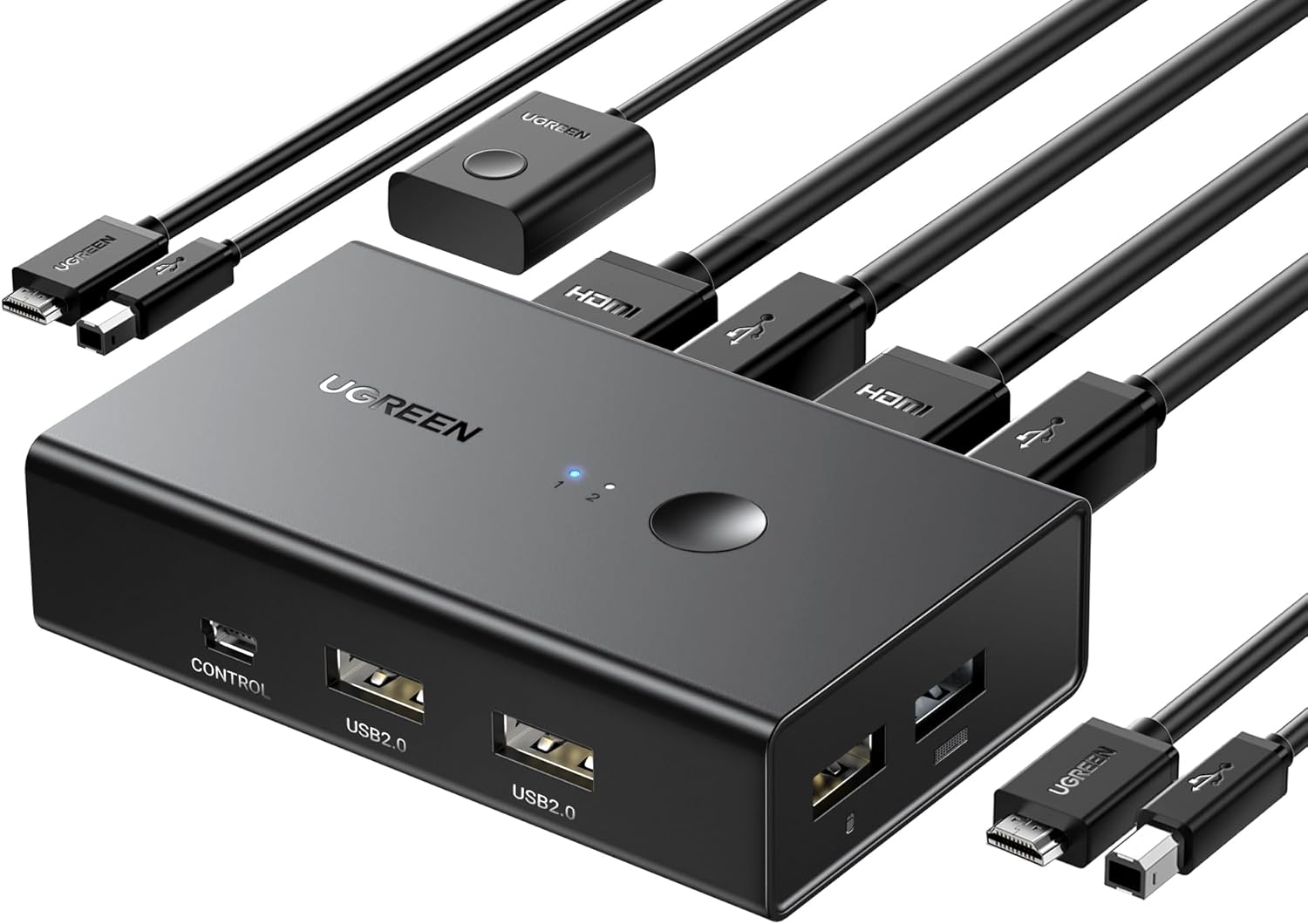
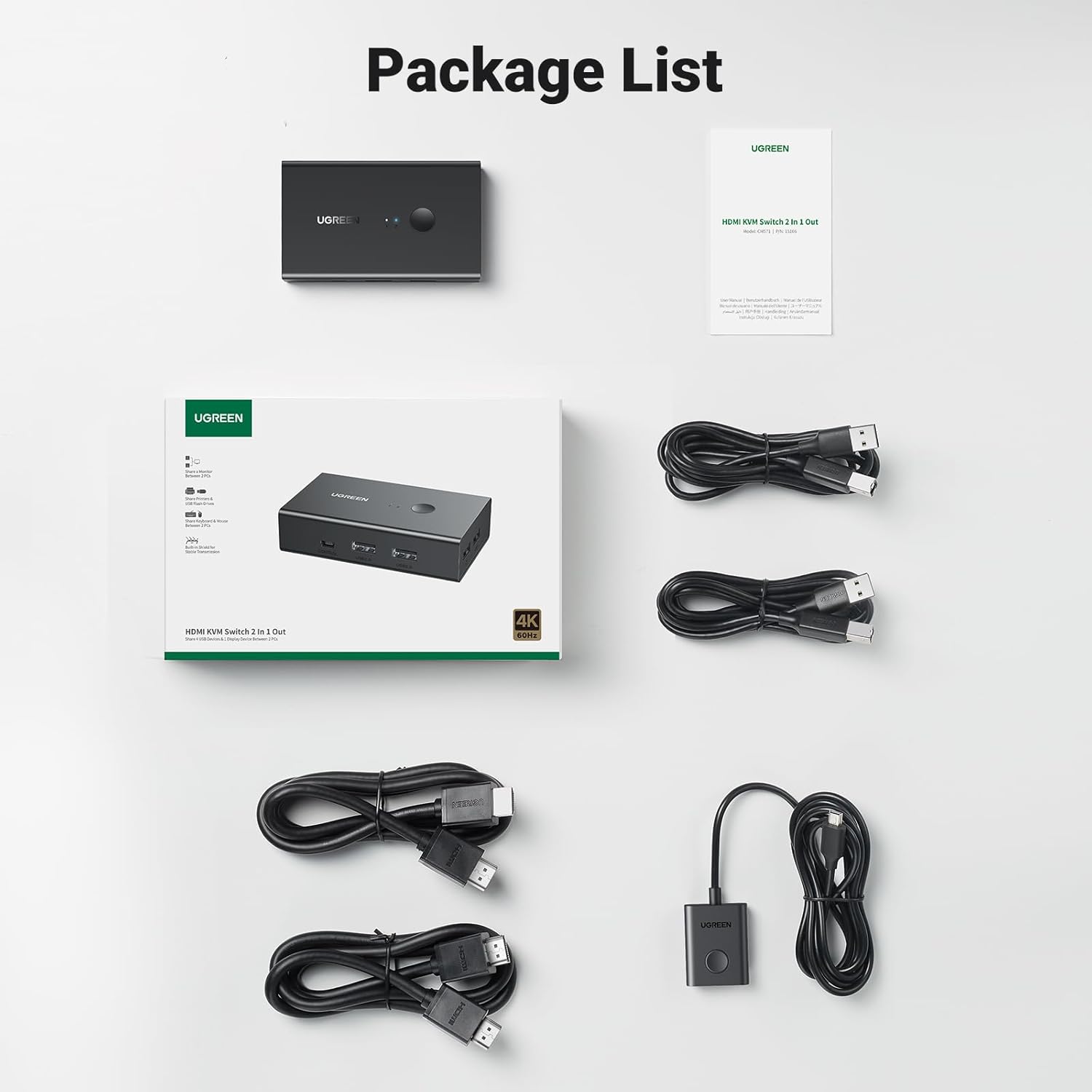
UGREEN's HDMI KVM Switch is the real thing: two HDMI inputs, two USB-B inputs, four USB-A ports for your peripherals, one HDMI output to the monitor, and a single button that moves the lot. It sits at 4.4 stars from 870 ratings. The 100 most recent reviews average 4.23, and read together they tell you precisely who this works for, who sends it back, and why the difference between those two groups is very often a cable.
The V in KVM Is Optional on Amazon, and That Is Not a Joke
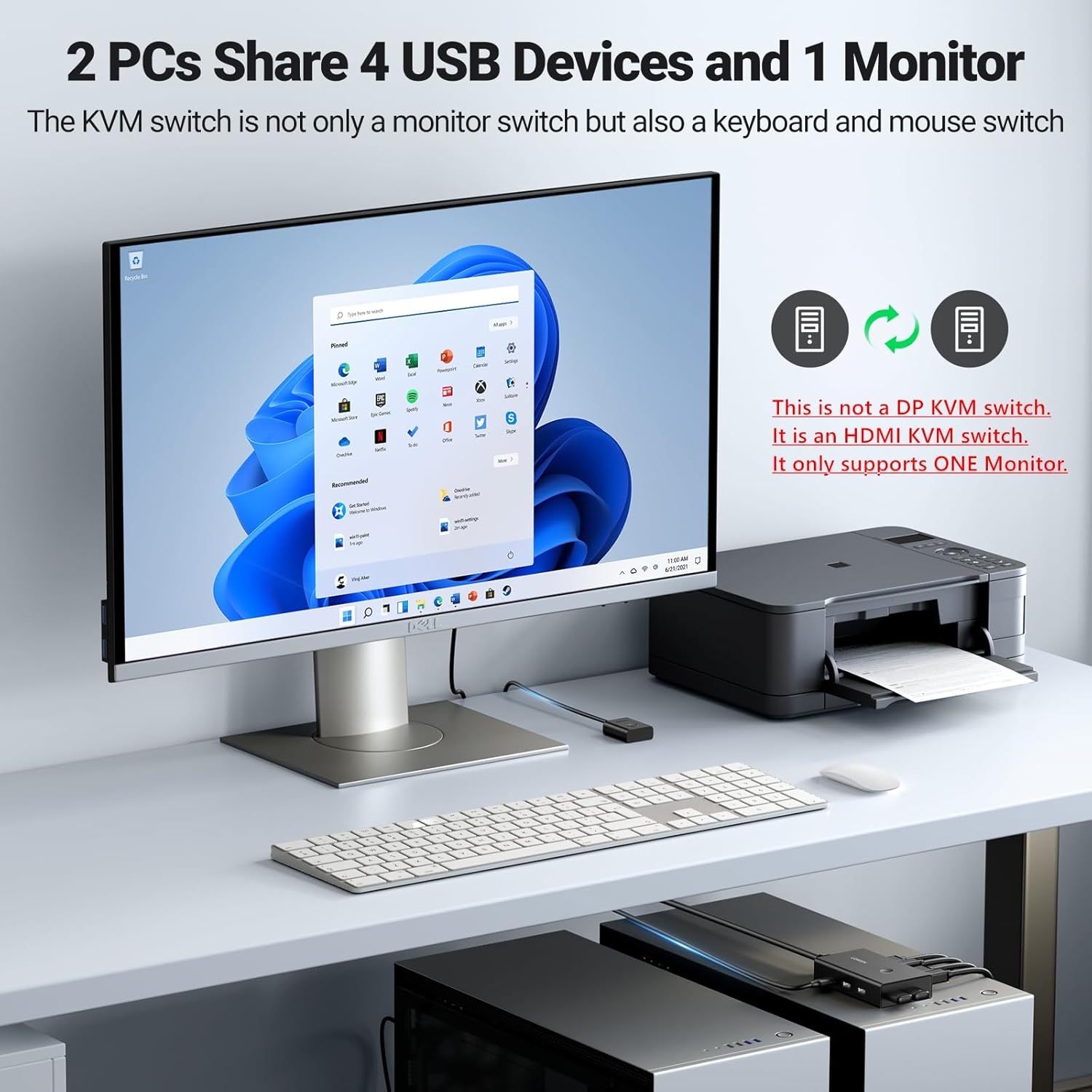
KVM stands for keyboard, video, mouse. Three things, one switch. That is the entire deal, and it is the only reason to buy one of these instead of just unplugging a cable twice a day.
Now go and look at the category. Alongside the real ones sits a stack of well-reviewed boxes calling themselves KVM switches, or KVM switchers, that carry nothing but USB ports. USB-A for your peripherals, USB-B out to each computer, and that is the lot. No HDMI. No DisplayPort. They are USB sharing hubs with a button on top, and they are perfectly decent at what they do, which is not switching your monitor.
The check takes five seconds. Read the port list, look at the photos. If you cannot see an HDMI or DisplayPort socket, the box cannot touch your screen. You will still be swapping the HDMI cable by hand, or cycling through your monitor's input menu with that awful little joystick under the bezel, every time you move between the work laptop and your own.
Two buyers here were living exactly that compromise before they found this switch. Gerry O'Quigley had been running two separate boxes, "a HDMI switch and a USB hub", and calls it "always irritating having to always plug and unplug the USB hub from one computer to the other". A reviewer in Japan describes the same two-box stack and the relief of doing it in one press. Both problems collapse into a single unit here, which is the point of the product and the reason it is worth the extra few pounds over a USB-only switch.
What Actually Happens When You Press the Button
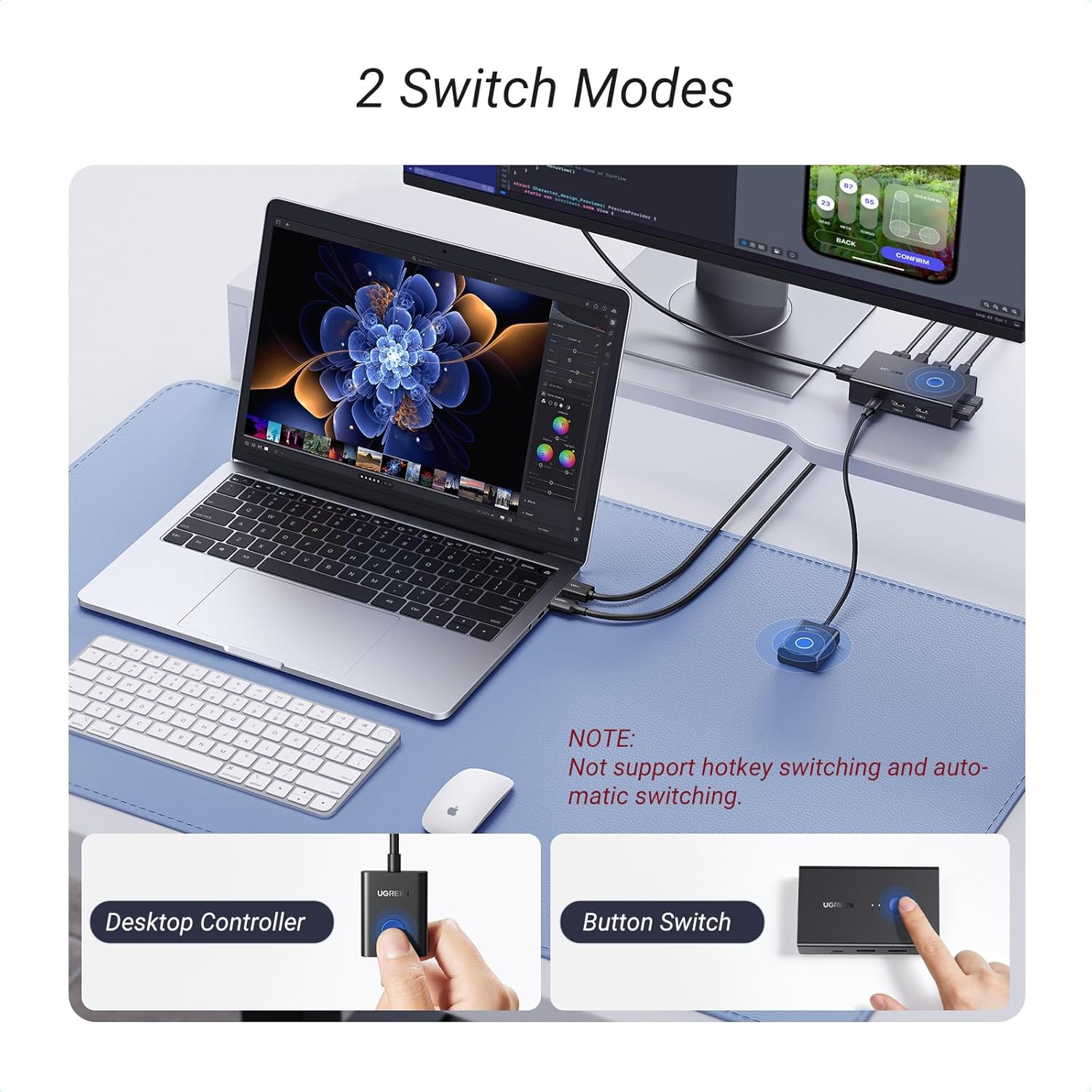
The monitor goes black for a beat, the other machine appears, and your keyboard and mouse come with it. On a good day that takes about two seconds. Carl M says his "takes about 2 seconds" and finds it "weirdly satisfying", which is a fair description of the first week.
Others get less. One four-star review is titled "Screen switches within 5-10 seconds, so not instant". A three-star is blunter: "Bit slow on swapping between KVMs however it will do." A Japanese buyer clocked a good three seconds and shrugged. So budget two to five seconds and stop expecting a hotkey. Simon Sherlock's four-star has the right frame: "a little slow at switching but a lot quicker than pulling cables". That is the comparison that counts. You are not choosing between this and a keyboard shortcut, you are choosing between this and getting up to swap a cable.
On hotkeys, there are none, and UGREEN say so plainly in the listing: not supported. You press a physical button. There are two of them. One on the unit itself, and one on a wired desktop controller that comes in the box, on a lead long enough to let the switch hide behind the monitor while the button lives where your hand lands.
That little remote is the sleeper feature, and the positive reviews keep mentioning it. RH likes that "you don't have to rummage under the monitor". Another buyer calls it "a handy wired remote to switch between machines in case you position the hub somewhere less accessible". Bertie Bryant: "The little button is also a lovely feature, so you can hide away the main box!" One reviewer taped it to the top right of his keyboard, which is a better idea than it sounds.
Six of the Last Hundred Buyers Say the Keyboard and Mouse Never Worked. Two Rules in the Small Print Explain Most of It.
This is the complaint that decides the purchase, and it turns up in every star band. Six of the 100 most recent reviews say the keyboard and mouse did not work at all. "Keyboard and mouse don't switch over when you switch computers." "Does not recognize keyboard nor mouse." "The switch between keyboard and mouse does not work at all!!!" Four of the eight one-star reviews in that sample are this one problem.
Then read John Drake's one-star all the way to the end. He is furious, he has returned it, and the reason is sitting in his own words: "USB-B? Only used for printers and external drives, total misrepresentation".
He wrote off the two cables that carry his keyboard and mouse.
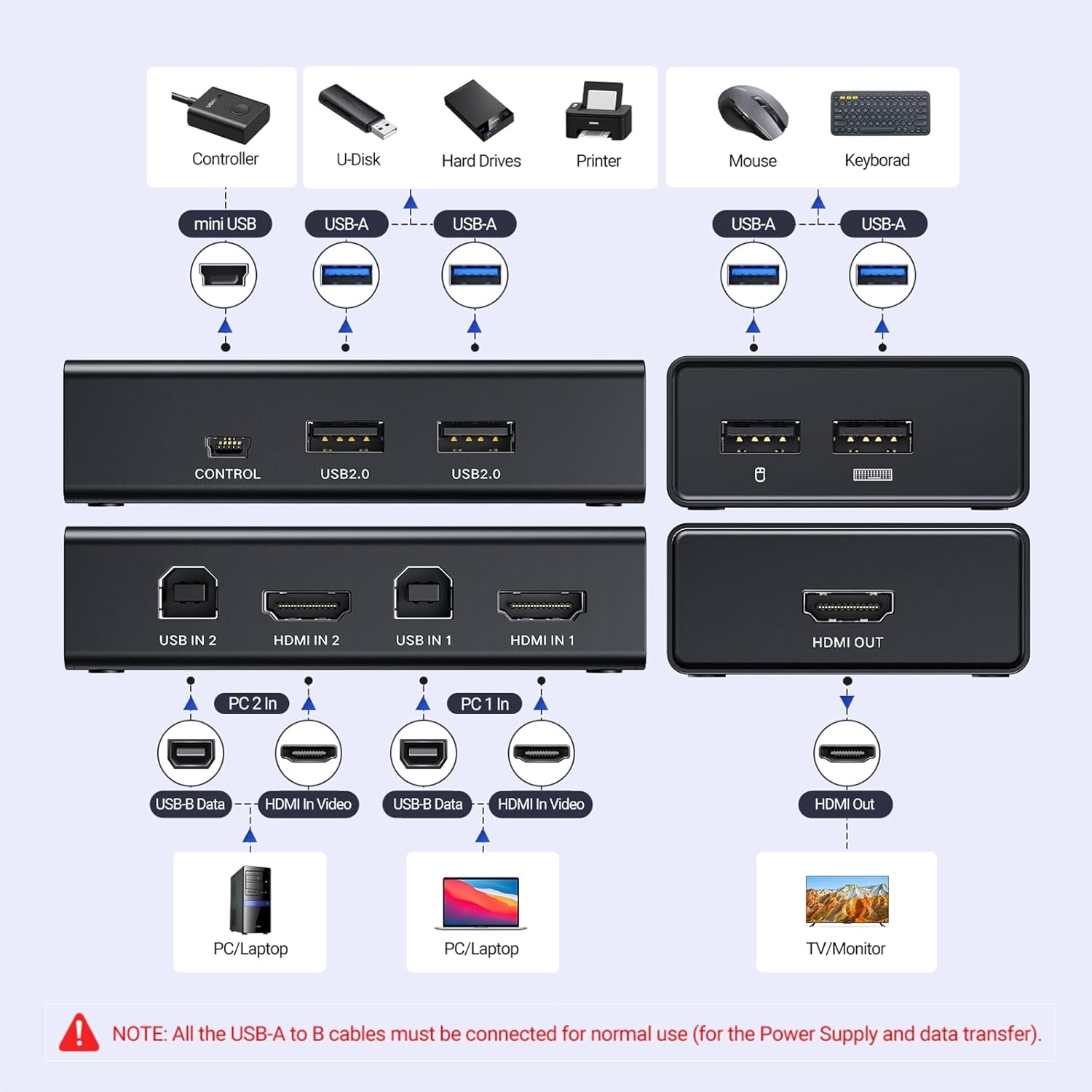
Rule one: both USB-A to USB-B cables must be connected. Both of them. One from each computer into USB IN 1 and USB IN 2. UGREEN print this in the listing bullets and again, in red, under the wiring diagram, and it is not optional, because those cables are how the switch gets its power (there is no mains adapter) and how keyboard and mouse data gets back to each machine. Plug in the HDMI cables only and you have built yourself an HDMI switch with dead USB ports, which is precisely what the angriest reviews are describing.
Rule two: match USB 2.0 to USB 2.0. This one is buried in a four-star review from a customer in Hertfordshire and it is worth more than the manual: "The USB ports on this switch are USB 2.0. It works best if plugged into USB 2.0 ports on your computer. If plugged into USB 3.0 ports, the mouse and keyboard may not work properly." The same person notes they have hit this with other KVM switches too. So if your keyboard is dead after wiring it correctly, move the USB-B cables out of the blue USB 3.0 sockets on your laptop or dock and into the black USB 2.0 ones before you start a return.
Do those two things and most of the horror stories evaporate. Not all of them. Some units are simply faulty, and we will get to those.
The Four USB Ports Do More Than You Expect. Your Call Audio Is Not One of Them.
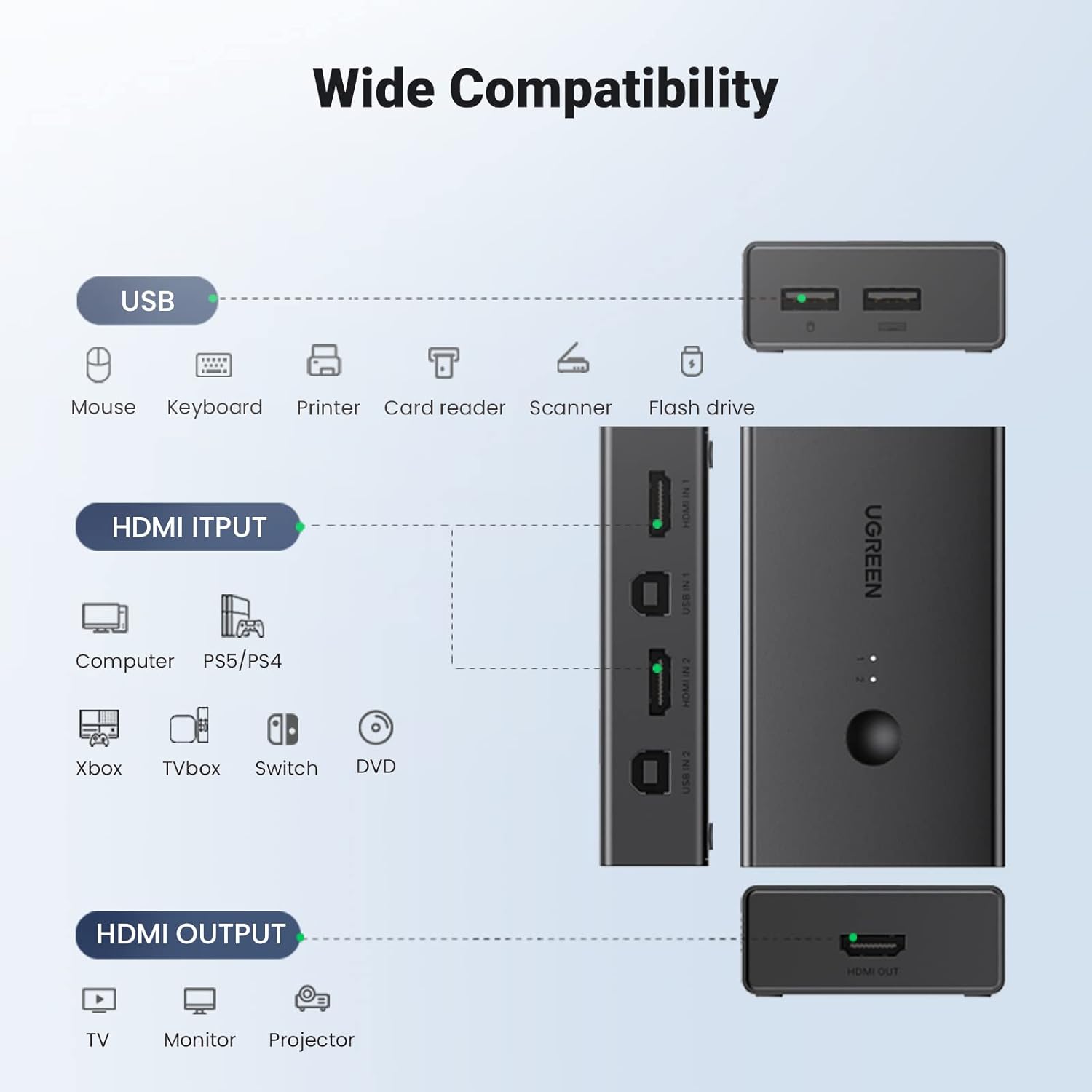
Two of the four USB-A sockets are marked for the keyboard and the mouse. The other two are general purpose and shared between both computers, and they turn out to be the feature nobody knew they were buying.
Smokey Joe bought the switch to move from an old PC to a new one, then found the real prize elsewhere: plug a USB stick or a hard drive into the switch and both machines can read it. "This made transferring files a doddle." Gary loved the "extra USB slots where I can plug in a USB stick and share the contents between the 2 PC's". ANDYXS calls it "the shared usb ports accessible by both connected computers". A printer, a scanner, a card reader, a webcam: all of it hops across with the button.
They are USB 2.0 ports, mind, so treat a shared drive as a convenience rather than a route for a 40GB folder. And if your work laptop is locked down by a corporate IT team, they may have views about a USB stick that hops between a work machine and a personal one.
Now the catch, and if you live on video calls it is the one that matters. Audio travelling down the HDMI cable does not switch with the box. Ian Donnelly's five-star flags it plainly: "the unit doesn't seem to switch any audio which is sent down the HDMI, so worth considering if this is a requirement." If your monitor has built-in speakers and that is how you hear your meetings, plan around it.
The fix is sitting in the same four ports. Put a USB headset or a USB speaker into the switch and the sound follows the button along with everything else. RH runs "a USB connected speaker that fits under the monitor" through the KVM with "no issues with sound quality at all". S. R. runs a headset through it, and it behaves on the personal laptop, with one wrinkle: "When I switch over to my work laptop, it sometimes rejects the headset for reasons I cannot figure out, so I need to unplug and reconnect it." A replug still beats missing the first two minutes of a call.
4K at 60Hz, No EDID Emulation, and Why Windows Thinks the Monitor Just Walked Off
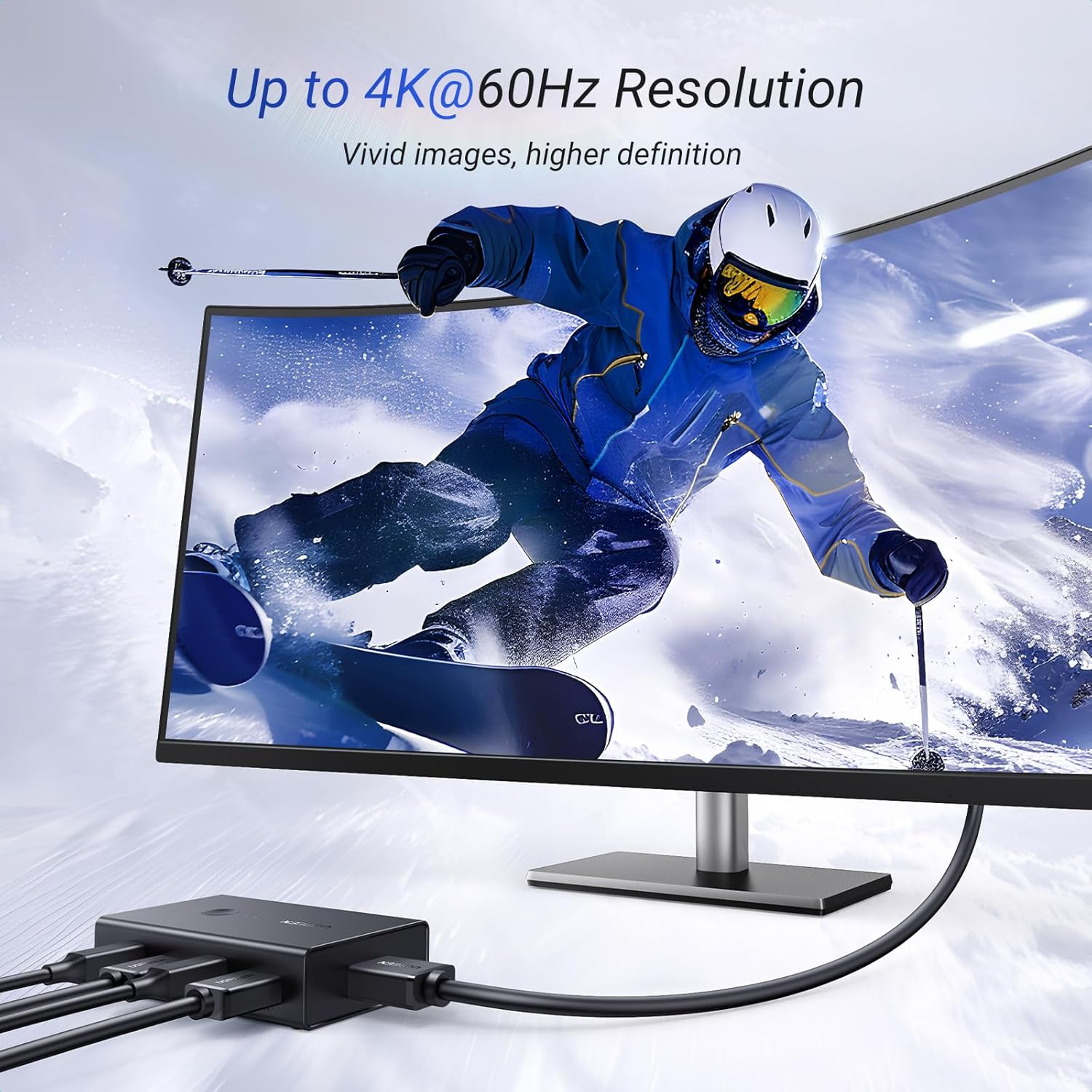
The video side is the part that mostly behaves. S. R. reports output that is "crisp and bright at 4K" with "no noticeable lag or drop in quality". ashton runs a gaming PC and a work laptop through it and confirms 4K at 60Hz to the screen. UGREEN quote 4K@60Hz, 2560x1440 at 120Hz, HDMI 2.0 and HDR, and almost nothing in the recent reviews argues with the top end. One exception: Evan Iveson could only get 1080p out of his and dropped to three stars over it. One report against many, but it happens.
The bigger asterisk is printed in the listing and most buyers scroll straight past it. There is no EDID emulation.
In plain terms, EDID is the handshake in which a monitor tells a computer what it is and which resolutions it can handle. A KVM with EDID emulation keeps faking that handshake, so the machine you are not looking at still believes the monitor is attached. This one does not fake it. Switch away, and the other computer sees the display physically vanish.
Windows then does what Windows does when a monitor is unplugged: shuffles your windows onto the laptop panel, resizes them, rearranges your desktop icons. Plenty of people never notice. One two-star buyer gave up over it: "When used on windows it thinks you unplugged the screen. I dont use it any more because it got annoying."
Whether that ruins the switch for you is a question about your working day, not about the hardware. Switch three or four times a day with a browser and a Teams window open and you will barely register it. Switch twenty times an hour with a dozen windows laid out on each machine and it will drive you up the wall. EDID emulation is exactly what the expensive KVMs are charging you for, and it is the single clearest reason to spend more.
The Box Says Windows, Mac and Linux. Some Machines Still Say No, and Some Units Just Stop.
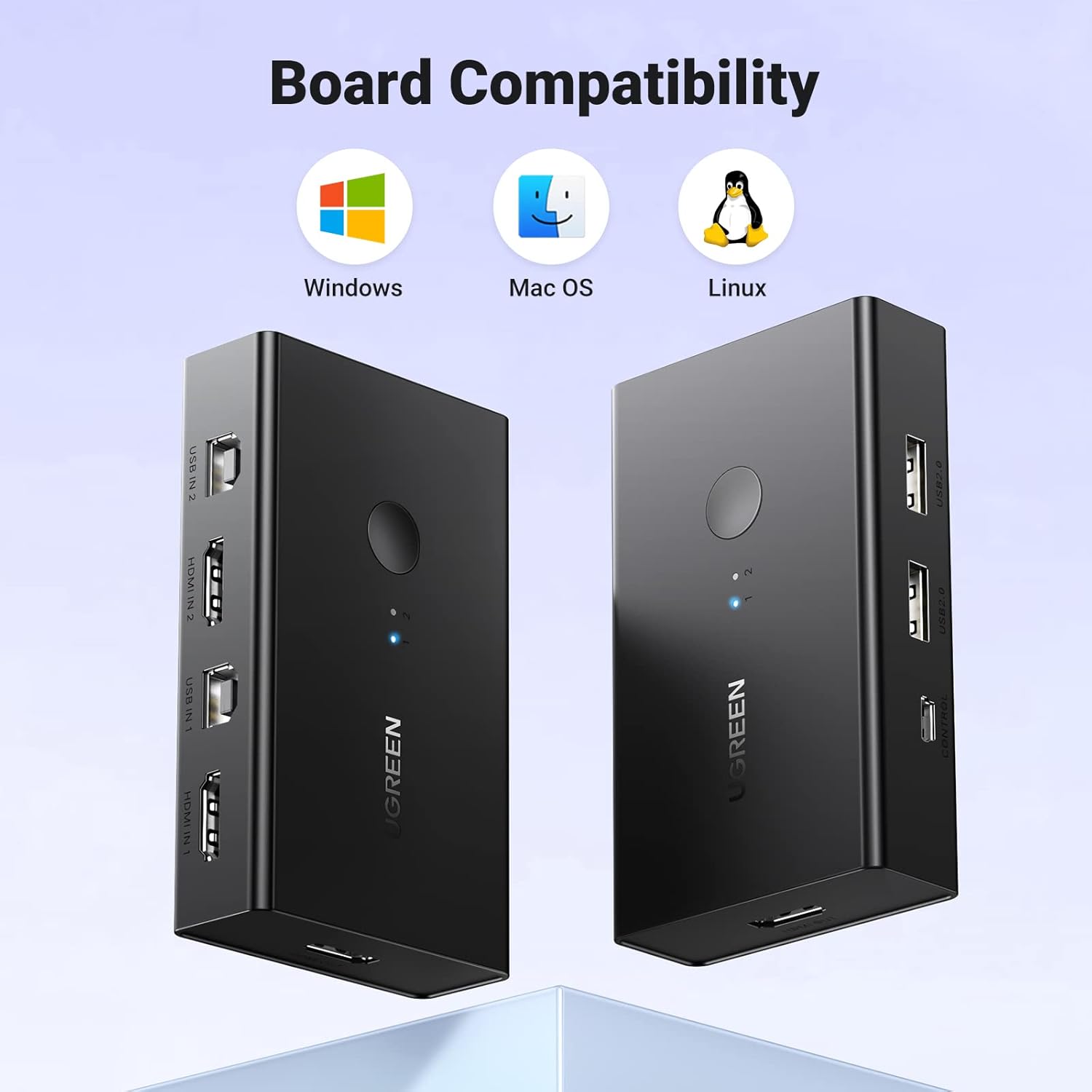
UGREEN list Windows, macOS and Linux, plus consoles on the HDMI side, and for most people that holds. The recent reviews contain Mac minis, mini PCs, gaming rigs, work laptops on docking stations and a Raspberry Pi, and most of them are five stars.
Underneath, though, there is a compatibility roulette running. One buyer found the keyboard and mouse unrecognised on Linux while the rest worked fine. A German reviewer pairs a PC with a Pi 5 and a wireless keyboard and mouse, and the keyboard drops out on switching, while noting that with two PCs the same setup behaves. A Japanese reviewer was happy until a fairly new Dell started playing up, and edited the rating down mid-post.
The pattern that repeats is wireless. Michael bought it to share "a single wireless keyboard and mouse" and found "its usb would randomly drop out with the wireless Keyboard and mouse, both of them", with a wired set behaving better but still not perfectly. Nathaniel B. Smith puts a finger on why: "because there is no external power source, it's not strong enough to power a mouse and keyboard combination". The whole switch runs on bus power from those USB-B cables. A chunky wireless dongle plus a backlit mechanical keyboard is asking a lot of it.
Then there are the units that worked and then stopped. A handful of the last hundred reviews describe exactly that: one dead at two weeks, one where the "mouse and keyboard have been stuttering" four months in, one where the monitor switching failed at eight months, and one where the video output died on both computers over a fortnight. In the four-month case UGREEN's support pointed the buyer back to Amazon, who refunded outside the return window. A further one-star claims the switch damaged components in two laptops, which nothing else in the sample corroborates, so weigh that one as you see fit.
Amazon pools this listing's reviews across its international stores, so the 100 most recent span several countries. Lifetime score, 4.4 from 870 ratings. Most recent hundred, 4.23, with 63 five stars and 8 one stars. That is about where a cheap, bus-powered switch with no EDID emulation tends to land: mostly very good, with a tail you should walk in knowing about.
The KVM Switch for Work and Personal Laptops UK Desks Keep Coming Back To, and What It Is Really Up Against
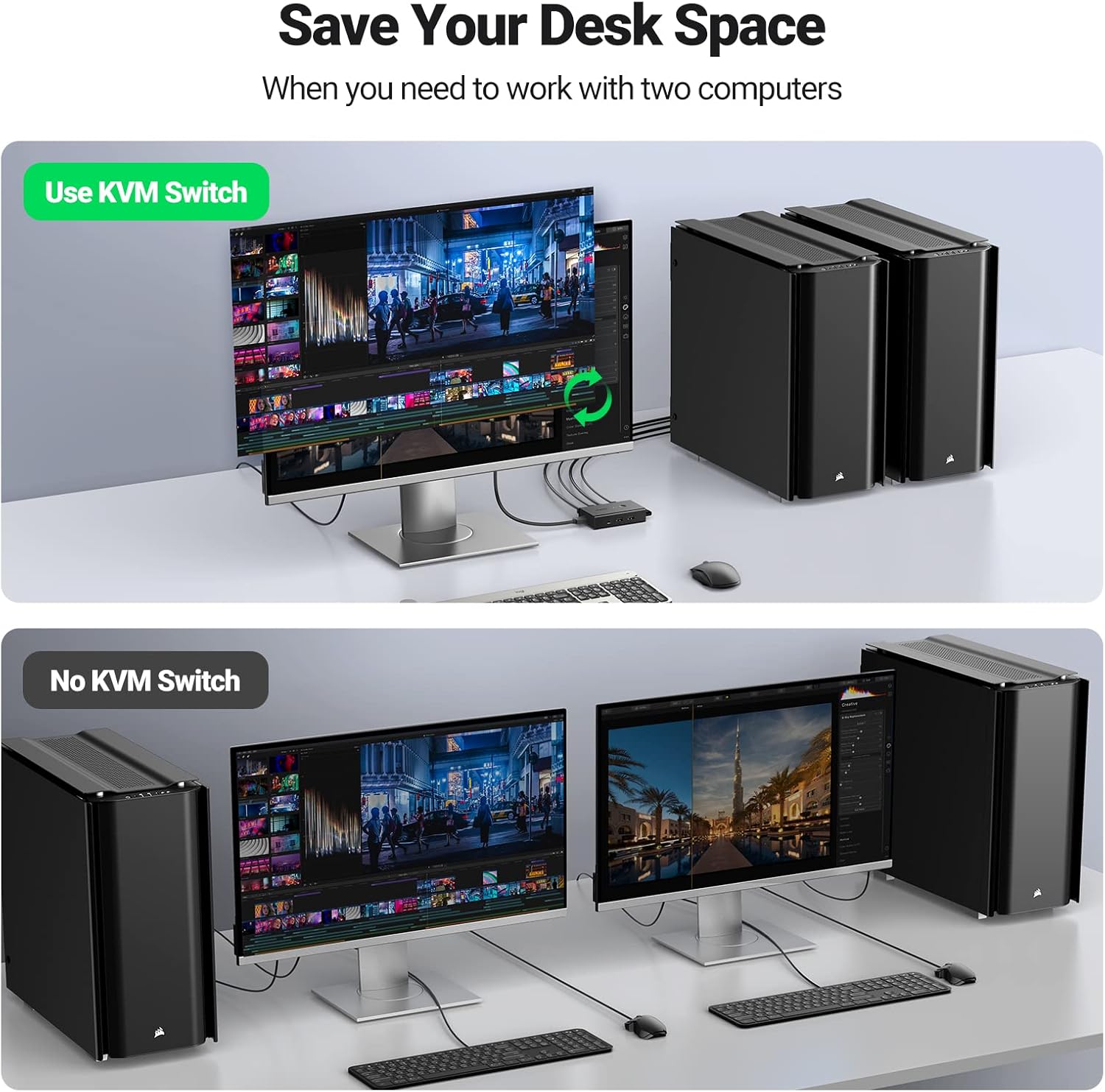
Four things compete for this job, and only one of them costs less than a takeaway.
The USB-only "KVM switcher". Cheaper, smaller, and it will move your keyboard, mouse and printer between two machines. It cannot move your monitor, so you are back to hand-swapping HDMI or hunting for the input button. Buy one only if your monitor has two inputs you are content to toggle yourself, or if you are Peter O' Connell, who bought this UGREEN and reports cheerfully: "Perfect for what I wanted. I only needed it for keyboard and mouse".
Doing nothing: the monitor's input button plus a second keyboard. Free, and fine if your desk is big and you switch twice a week. It is also the exact thing Christopher Michael McGrath bought the switch to escape, "reducing the need for a second mouse and keyboard" and "saving time needed to switch a monitor between work and home set up". If you switch twice an hour, the switch pays for itself in a fortnight of not swearing.
A docking station per laptop. More capable: power delivery, ethernet, multiple displays. Also several times the price, one needed per machine, and you are still moving a cable when you swap. They are not mutually exclusive either. RH feeds a work laptop through a USB-C hub into this KVM and says the system "coped just fine with both", and Nick runs his work laptop in via a docking station without drama.
A proper hotkey KVM from the Aten, StarTech or TESmart end of the shelf. The models at that end typically run on mains power, switch on a keyboard shortcut, and emulate EDID so nothing disconnects when you swap. They also cost several times what this does. If you switch constantly, and you now know what EDID emulation is and why you want it, that is where your money belongs.
Against that field UGREEN's pitch is simple: it is one of the cheapest things that does the entire job on one press, and it turns up with every cable you need, two HDMI and two USB-B, plus the wired remote. Buying those separately would eat a decent chunk of what you paid for the switch. Check today's price on Amazon before you decide, because it does move about: one buyer bought at one price, went back for a second unit two days later, found it had crept up and bailed out.
Who Should Press Buy, and Who Should Spend More
Buy it if two machines share your desk and one of them is a work laptop you are not allowed to install anything on. That is the classic case and the five-star reviews are stuffed with it. One buyer sums the whole product up in a sentence: "allowing me to swap between my work laptop and my personal laptop whilst sharing the same keyboard, mouse and monitor. Exactly what i needed."
Buy it if you switch a handful of times a day rather than constantly, if you can live with a wired keyboard and mouse, if you have a spare USB port free on each machine and ideally a USB 2.0 one, and if your sound arrives via a USB headset, a USB speaker or the laptop's own speakers rather than the monitor.
Spend more if you need hotkey switching, if windows rearranging themselves on every swap would ruin your morning, if you want USB 3.0 speed through the shared ports, or if you are wedded to a wireless keyboard-and-mouse combo. Those are the four things this box will not do, and a mains-powered KVM with EDID emulation does all of them for several times the money.
And do not save a couple of pounds by dropping down to a USB-only "switcher" instead. That is a different product wearing the same word. Read the port list first: if there is no HDMI socket on it, it cannot switch your screen, and you will be back on Amazon inside a week.
Otherwise, wire both USB-B cables, use the USB 2.0 ports, and keep the wired remote where your hand lands. Do that and you get one button, two computers, one monitor and a desk that finally makes sense, for roughly the price of a couple of decent HDMI cables. 63 of the last 100 buyers gave it five stars, and after reading all hundred of them, that looks about right.
UGREEN HDMI KVM Switch, 2 PC 1 Monitor
A true KVM: one button moves the HDMI, the keyboard, the mouse and two spare USB ports between your work laptop and your personal machine. 4K at 60Hz, no mains adapter needed, and two HDMI cables, two USB cables and a wired desktop remote all come in the box.